Lock or unlock a document
Click the document name at the top of the page, then select or deselect the Locked checkbox.
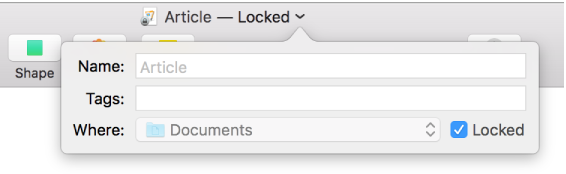
Click outside the window to close it.

When you lock a document, it can’t be edited, moved, deleted, or renamed.
Click the document name at the top of the page, then select or deselect the Locked checkbox.
Click outside the window to close it.
Locking a document isn’t the same as protecting it with a password—anyone can unlock the document.