
Assign a shortcut to a style
Click any text in the document.
Click the paragraph style name at the top of the sidebar on the right.
If the text is in a text box, table, or shape, click the Text tab at the top of the sidebar to see paragraph styles.
Do one of the following:
For a paragraph style: Click the paragraph style name at the top of the sidebar.
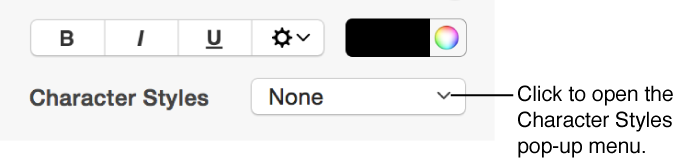
For a character style: Click the Character Styles pop-up menu.
For a list style: Click the Bullets & Lists pop-up menu.
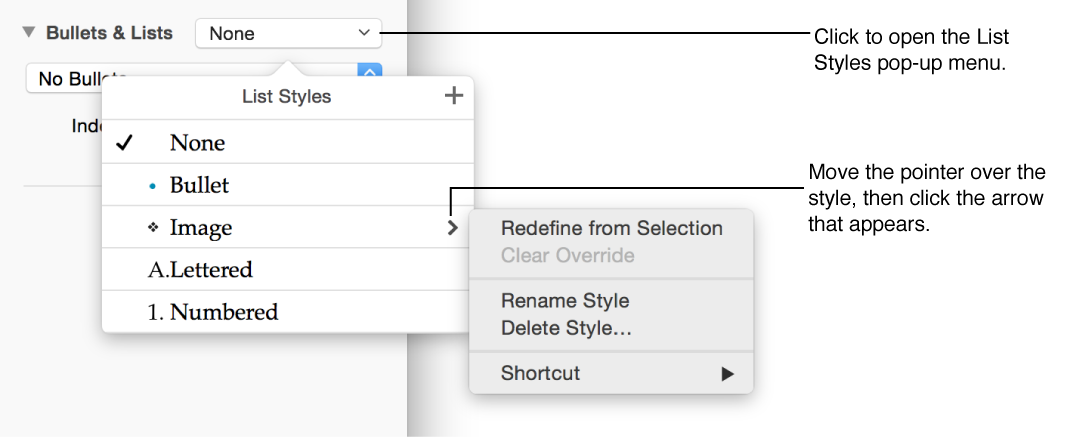
In the pop-up menu, move the pointer over the name of the style you want to assign a shortcut to, then click the arrow that appears.
Choose Shortcut, then choose a key.
Now, the shortcut key appears next to the style name in the menu for easy reference.