A paragraph style is a set of attributes—like a font, font size, and color—that defines how text looks. Applying a paragraph style to text makes it easy to change several attributes of the text—like its size and color—all at once, rather than making the changes individually.
Apply a paragraph style
Select one or more paragraphs, or click anywhere in a paragraph to apply the style to only that paragraph.
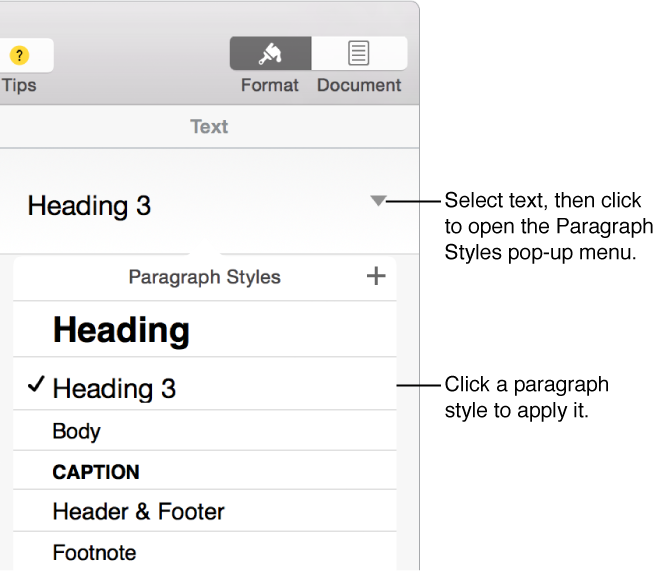
Click the paragraph style name at the top of the sidebar on the right side of the Pages window, then choose a style from the Paragraph Styles pop-up menu.
If you don’t see the sidebar, or it doesn’t have text controls, click in the toolbar. If the text is in a text box, table, or shape, click the Text tab at the top of the sidebar.
If you later change the look of text that has a paragraph style applied to it—for example, you make the text bold or change its color—an asterisk and an Update button, in some cases, appear next to the style’s name in the Paragraph Styles pop-up menu, indicating that the style has an override. You can update the paragraph style to incorporate the overrides if you want.
Note: There are also list styles you can apply to lists.

 in the toolbar. If the text is in a text box, table, or shape, click the Text tab at the top of the sidebar.