Add text in an object

You can add text inside a shape, text box, or table cell, then align it horizontally and vertically within the space.

Add text inside a shape

You can format the text just like body text. To show the text formatting controls, select the text, click the Text tab in the sidebar on the right, then click the Style button near the top of the sidebar.

Align text in a text box, shape, or table cell

  1. Select the text.

  2. Click the Text tab at the top of the sidebar on the right.

    If you don’t see the sidebar, or it doesn’t have a Text tab, click Format inspector button in the toolbar.

  3. Click the Style button near the top of the sidebar, then any of the alignment buttons.
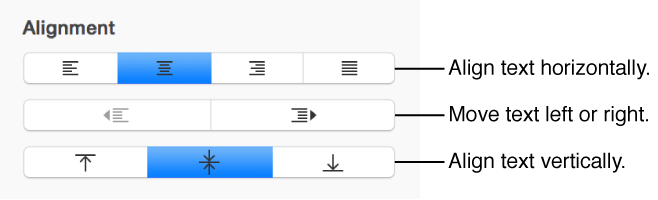
    Text alignment options