
Click a paragraph that uses the style you want to rename.
Click the Paragraph Styles pop-up menu at the top of the sidebar on the right.
If the text is in a text box, table, or shape, first click the Text tab at the top of the sidebar to see paragraph styles.
Click the paragraph style name at the top of the sidebar.
In the Paragraph Styles pop-up menu, move the pointer over the style name, then click the arrow that appears.
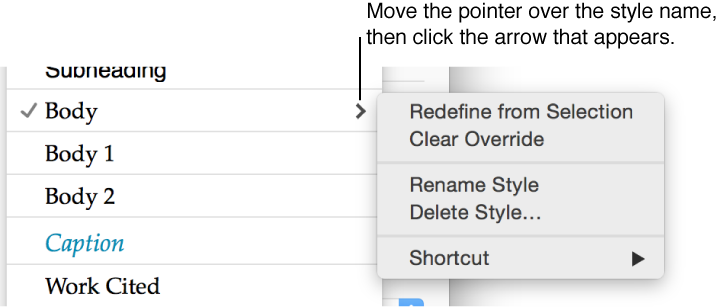
Choose Rename Style, then enter a new name.