Align text in a text box, shape, or table cell
Select the text.
In the Text pane of the Format inspector, click Style, then click the alignment buttons you want.
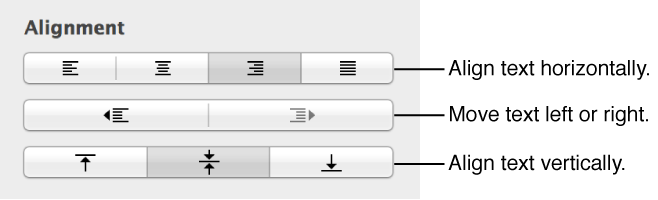

You can add text inside a shape, text box, or table cell, then align it horizontally and vertically within the space.
Double-click the shape to make the insertion point appear, then type your text.
If there’s too much text to display in the shape, a clipping indicator (+) appears. To resize the shape, click it, then drag any selection handle until all the text is showing.
You can format the text inside the shape just like any other text. Select the text, then use the tools in the Text pane of the Format inspector to change it.
Select the text.
In the Text pane of the Format inspector, click Style, then click the alignment buttons you want.