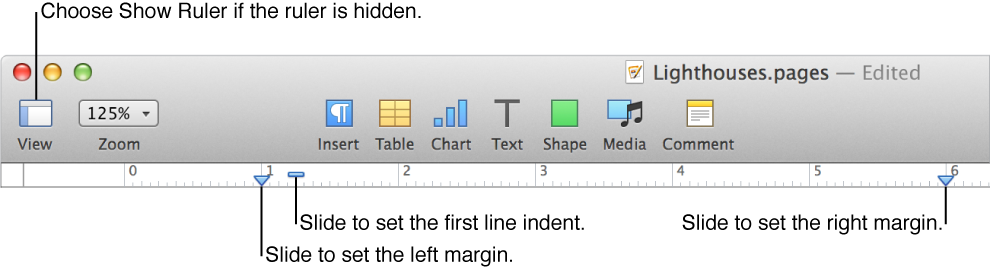

You can adjust document margins at any time. You can use the ruler to quickly set left and right margins, or make other margin settings in the Document pane of the Document Setup inspector.
Click Document  in the toolbar, then click Document.
Click the arrows for Top and Bottom in the Document Margins section.
Click Document in the toolbar, then click Document.
In the Document Margins section, click the down arrow for the margin you want to set.
If you want to use different margins for part of the document, create a separate section with its own settings.