Select a word: Double-tap it.
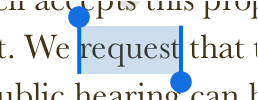
Select a range of text: Double-tap a word, then move the blue dots to include more or less text. Drag beyond the end of a paragraph to include any formatting marks (called invisibles).
Do any of the following:
Select a word: Double-tap it.
Select a range of text: Double-tap a word, then move the blue dots to include more or less text. Drag beyond the end of a paragraph to include any formatting marks (called invisibles).
Note: If you tap placeholder text, the entire block of text is selected.
On iPad, you can also drag two fingers across the keyboard to move the insertion point, then tap once on the keyboard to select a word and twice to select a paragraph.