
You can resize any object. You can rotate any object except a table or chart. Only images can be flipped.
Tap the object, then drag any of its blue selection handles.
To resize an object from its center, touch and hold the middle of the object, then drag a selection handle to begin resizing.
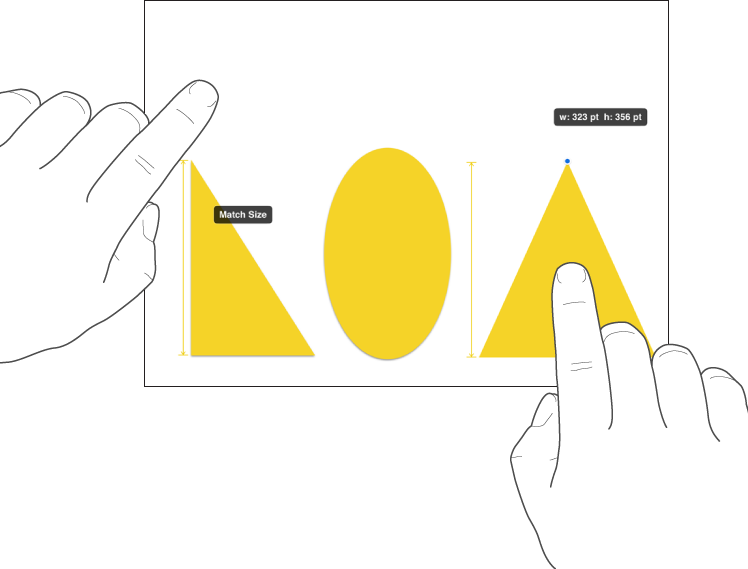
You can quickly match the sizes of two objects on the page.
Tap the object you want to resize, then drag a selection handle to begin resizing.
As you drag, touch and hold another object whose size you want to match.
When the words Match Size appear, lift both your fingers at the same time.

Tap the object, place two fingers on it, then turn your hand in the direction you want to rotate the object.
After you start the rotation, you can continue by dragging with a single finger. A guide appears to indicate the angle of rotation.

Tap an image, then tap
.
Tap Arrange, then tap Flip Vertically or Flip Horizontally.