
When you add a table, you choose from a number of predesigned styles that match your template. After you add a table, you can customize it however you like. You can add as many tables as you want to a sheet.
Click  in the toolbar, then click a table or drag one to the sheet.
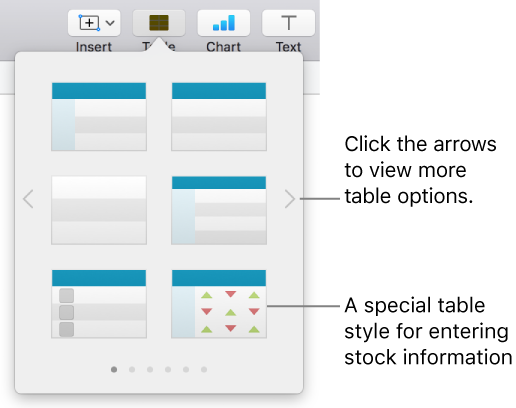
Do any of the following:
Type in a cell: Click the cell, then start typing.
Move the table: Click the table, then drag  in its top-left corner.
Add or remove rows: Click the table, then drag  in its bottom-left corner down or up.
Resize the table: Click the table, click in its top-left corner, then Shift-drag the white square in its bottom-right corner to resize the table proportionally.
Change the alternating row color setting: Click the table; in the Format  sidebar, click the Table tab; then deselect or select Alternating Row Color. (To choose a different color, click the color well.)
Change the look of a table: Click the table, then use the controls in the Table tab of the sidebar to make changes, such as adding a table outline or changing the table font size.
When you create a new table from cells in an existing table, the original cell data is moved, not copied. The original table is left with empty cells, which you can delete.
Select the cells or select entire rows or columns with the data you want to use to create the new table.
Click and hold the selection until it appears to lift, then drag it to another place on the spreadsheet.
To delete the empty cells from the original table, select the empty cells, Control-click, then choose Delete Rows or Delete Columns.
Click the table, click in its top-left corner, then press Delete on your keyboard.
Note: If a table is linked to a form added in Numbers for iOS, deleting the table clears the form.