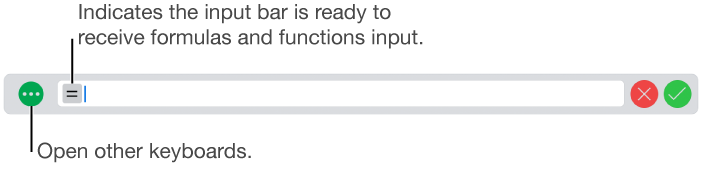
 to the left of the input bar.
To perform mathematical calculations in your spreadsheet, use the formulas and functions keyboard. This keyboard allows you to enter numbers, operators, and constants to define a formula within a cell, or to access the hundreds of predefined functions available within Numbers.
The formulas and functions keyboard opens when you tap to the left of the input bar.
The keyboard is divided into three groups of keys, as shown below.
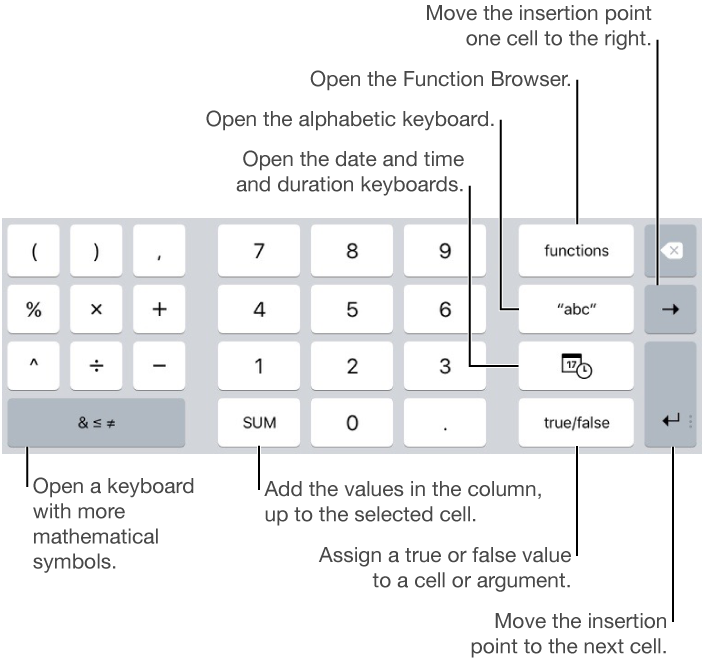
The  key along the right edge of the keyboard deletes the last thing you typed.
To see detailed instructions on entering formulas and functions into cells, see Calculate values using data in table cells.