 to the left of the input bar, above the keyboard.
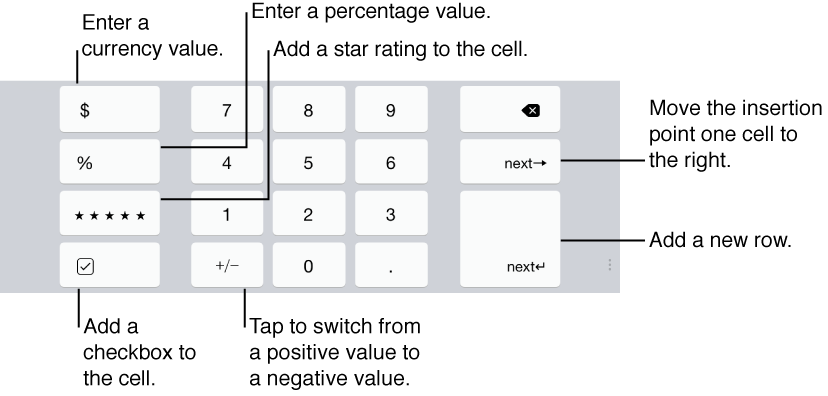
Use the number keys on this keyboard to enter numerical data in cells. Special characters on the keyboard allow you to add a star rating or a checkbox to a cell, or to format the value in the cell as a currency unit or as a percentage.
When you double-tap an empty, unformatted cell, the numeric keyboard opens by default. You can also open it by tapping to the left of the input bar, above the keyboard.

To change the available currency unit on the keyboard, or to preformat groups of cells as numbers, currency units, star ratings, checkboxes, or percentages, see Format cells to display different types of data.