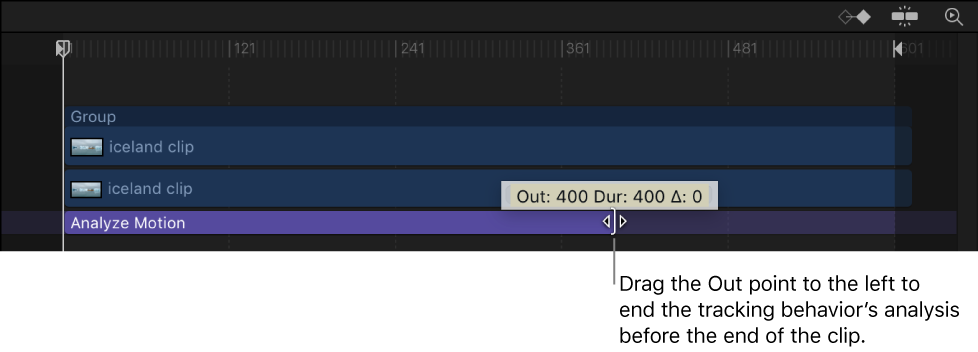
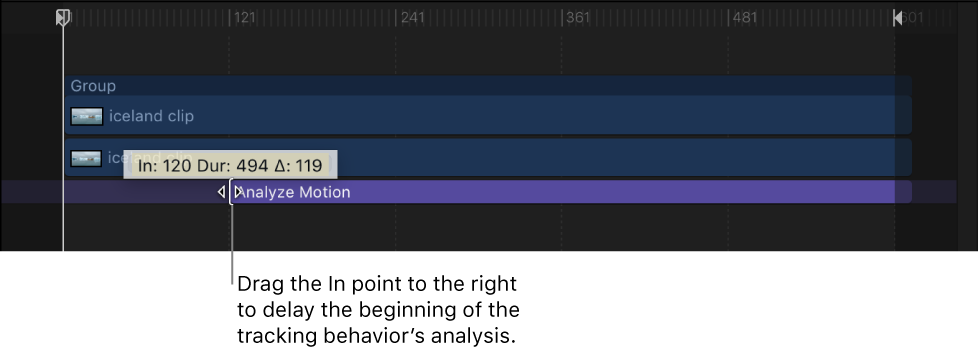
With the exception of the Stabilize behavior, the tracking behaviors begin their analysis at the current playhead position. (The Stabilize behavior’s automatic analysis mode starts from the beginning of a clip, regardless of the playhead’s position.) You can specify what portion of a clip is analyzed by setting In and Out points for the clip, or by trimming the tracking behavior in the Timeline or mini-Timeline.
Do one of the following:
Drag the playhead at the frame where you want the tracking analysis to begin, select the clip, then choose Mark > Mark Play Range In (or press Option-Command-I).
In the Timeline, drag the left edge of the tracking behavior’s purple bar to the frame where you want the tracking analysis to begin.
Do one of the following:
Position the playhead at the frame where you want the tracking analysis to end, select the clip, then choose Mark > Mark Play Range Out (or press Option-Command-O).
In the Timeline, drag the right edge of the tracking behavior’s purple bar to the frame where you want the tracking analysis to end.