
Fills an image layer or alpha channel with a solid color or gradient.
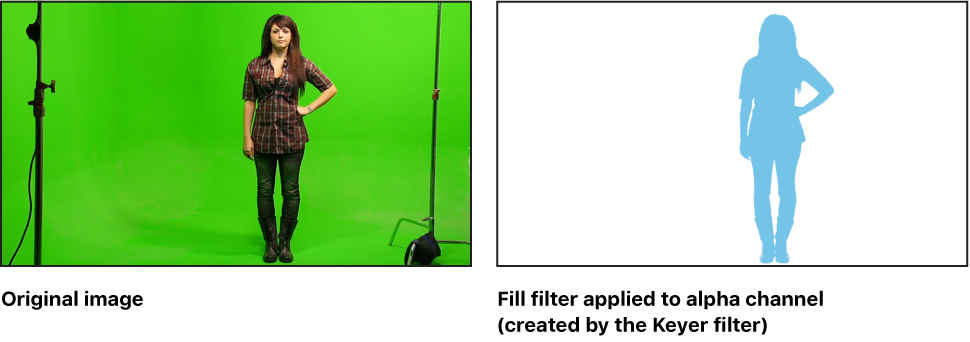
Adjust this filter using the parameter controls in the Filters Inspector:
Fill With: Sets how the image or alpha channel is filled. This pop-up menu has two options:
Color: Fills the image or alpha channel with a solid color. For more information on using color controls, see Basic color controls.
Gradient: Fills the image or alpha channel with a gradient. You can choose a gradient from the Gradient preset pop-up menu, or click the Gradient parameter’s disclosure triangle to display the gradient editor and create your own custom gradient. For more information on using gradient editors, see Gradient editor controls.
Mix: Sets the percentage of the original image that’s blended with the filtered image.