
Although you can’t modify the effects, elements, and folders built into Motion, you can organize custom effects, elements, and folders in the Library the same way you manipulate files in the Finder. You can create folders and delete certain files or folders.
You can also easily create, save, and organize files and themes in the Library.
You can create new folders in the subcategory column (the second column) or in the stack (the area under the category and subcategory columns) to better organize your custom Library content.
Do any of the following:
Create a new folder in the subcategory column: Select a category, select the All folder in the subcategory column, then click the New Folder button (+) in the lower-left corner of the Library.
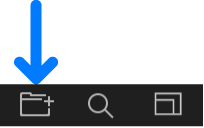
A new, untitled folder appears in the subcategory column.
Create a new folder in the stack: Select a category, select the subcategory to contain the new folder, then click the New Folder button (+) in the lower-left corner of the Library.
A new, untitled folder appears in the stack.
For more information on saving custom Library content, see Save custom objects to the Library.
Do one of the following:
Rename a subcategory folder: In the subcategory column, click the name of a custom folder once to select it, click it again to activate the text field, enter a new name, then press Return.
Rename a file or folder in the stack: In the stack, Control-click a custom file or folder, choose Rename from the shortcut menu, enter a new name, then press Return.
WARNING: Renaming a custom folder or file in the Library renames the item on your computer or networked storage device. If projects use files from the originally named folder, Motion may list the item as missing.
Select a custom folder in the subcategory column or stack (or a custom object in the stack), then do one of the following:
Choose Edit > Delete.
Press Command-Delete.
WARNING: Deleting a custom folder or file in the stack removes that item from your computer or networked storage device and places the item in your Trash.
In the Library stack, Control-click the custom file, then choose Move to Trash from the shortcut menu.
In the Library stack, drag the file onto the folder icon.
The file is moved inside that folder.