
After you apply a key, you may need to crop unwanted background elements that can’t be keyed, such as the edge of a blue screen stage, lighting rigs, or tape that appears in the background. Using the Mask tool, you can create a garbage mask that removes unwanted elements.
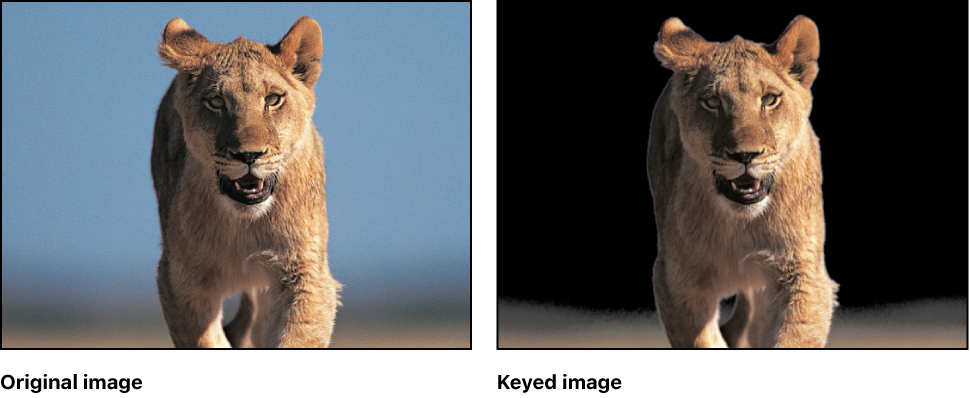
You can also use a garbage mask to conceal parts of the background too difficult to key without the loss of foreground detail.
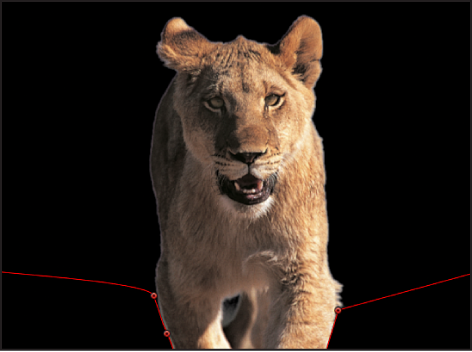
Select a keyed layer and use a mask tool to draw a mask around the foreground subject.
Note: If the subject is moving, the garbage mask must be animated.
By default, the Mask Blend Mode is set to Add, which crops everything outside the mask, while leaving the transparent areas in the mask alone. To crop out areas within masks, as shown in the following image, choose Subtract from the Mask Blend Mode pop-up menu.
For more information about creating masks, see Masks and transparency overview.