
Many filters have onscreen controls that let you manipulate parameters by dragging in the canvas.
Select an applied filter in the Layers list or Timeline.
In the canvas toolbar, click and hold the transform tools pop-up menu, then choose Adjust Item.
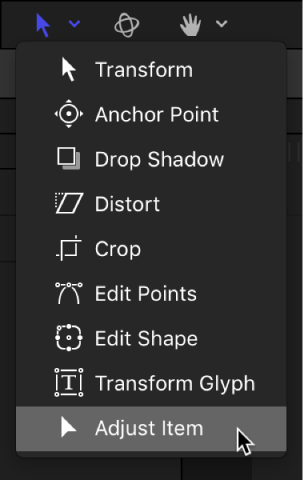
Onscreen controls for the selected filter appear in the canvas.
Drag the onscreen controls in the canvas.
When you modify a filter parameter in the canvas, the parameter values are updated in the Inspector, as well. For information, see Types of onscreen filter controls.
Note: Many filter onscreen controls adjust multiple parameters. To modify one parameter at a time, use the Filters Inspector or HUD.