
When keyframing, it’s often helpful to view your keyframes in the Timeline. This lets you move keyframes to line them up with other important timing elements in your project such as edit points, sound cues, markers, and other keyframes. In the Timeline, keyframes appear in the track area as small red (or white, when selected) diamonds beneath the object they animate. You can also view keyframe values in the Timeline, and delete keyframes you don’t need.
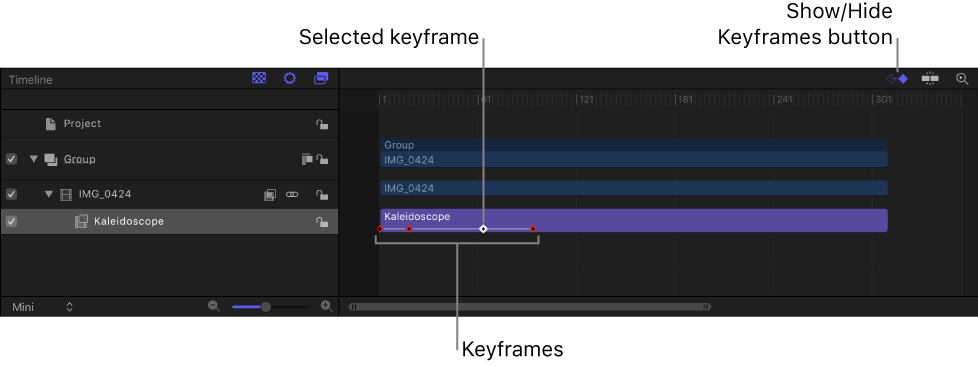
In the upper-right corner of the Timeline, click the Show Keyframes button so that it’s highlighted blue.

Any applied keyframes appear in the track area as small red (or white, when selected) diamonds beneath the object they animate.
Control-click (or double-click) a keyframe in the Timeline and view its value in a shortcut menu.
Note: Multiple keyframes on the same frame are listed in the menu.
Control-click the keyframe in the Timeline, then choose Show in Keyframe Editor from the shortcut menu.
The Keyframe Editor appears below the Timeline. For information on working in the Keyframe Editor, see Display the Keyframe Editor.