
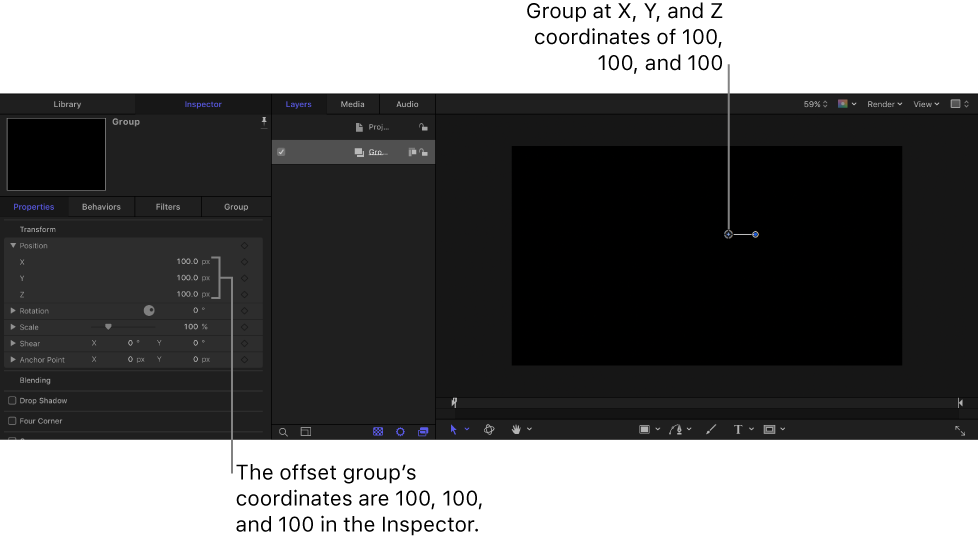
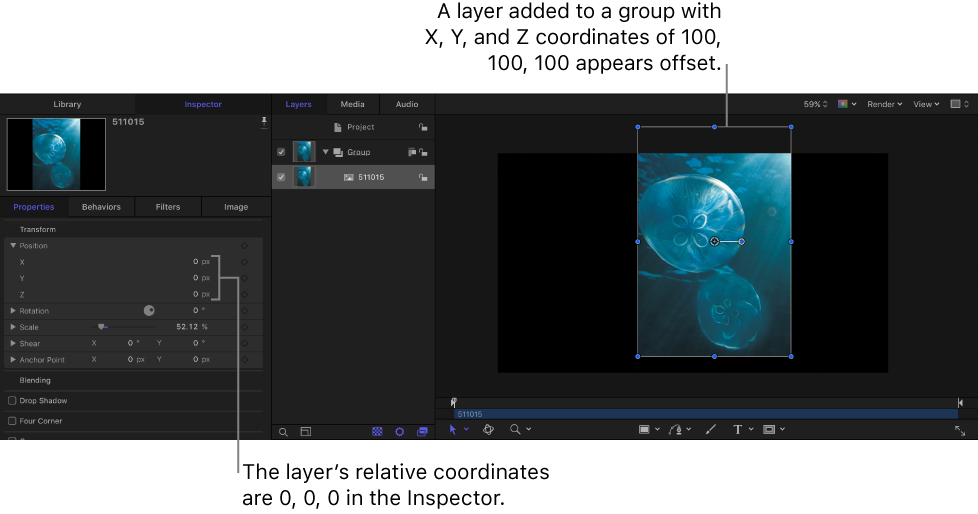
In Motion, the coordinates of an object are relative to the coordinates of the group that the object resides in. For example, if you position an empty group at X, Y, and Z coordinates of 100, 100, 100, and then add an image layer to the group, the layer’s coordinates are shown in the Properties Inspector as 0, 0, 0. However, in the canvas the image layer appears offset (100 pixels right of center, 100 pixels above center, and 100 pixels “closer” to you). The layer’s absolute coordinates in the canvas may be the same as those of its parent group (100, 100, 100), but the Properties Inspector displays the layer’s relative coordinates (0, 0, 0—the center of the layer’s parent group).
Rotation values are also relative to a layer’s parent. For example, rotating the group 45° also rotates the image layer 45° in the canvas; however, in the layer’s Properties Inspector, the Rotation value remains 0°—the rotation value of the layer relative to its parent group.