
Replicator and replicator cell parameters, though closely related, serve different purposes:
Replicator parameters control the overall shape, arrangement, offset, stacking order, build order, and number of elements in the replicator pattern.
Replicator cell parameters control the behavior and appearance of the individual elements in the replicator pattern.
For a replicator with only one cell (one source image), the replicator and replicator cell controls appear in the same Replicator Inspector. In this case, you can control every aspect of the replicator using these controls. However, in replicators with multiple cells, each cell has its own Replicator Cell Inspector containing all parameters for that cell.
Select a replicator in the Layers list or Timeline.
In the Inspector, click Replicator.
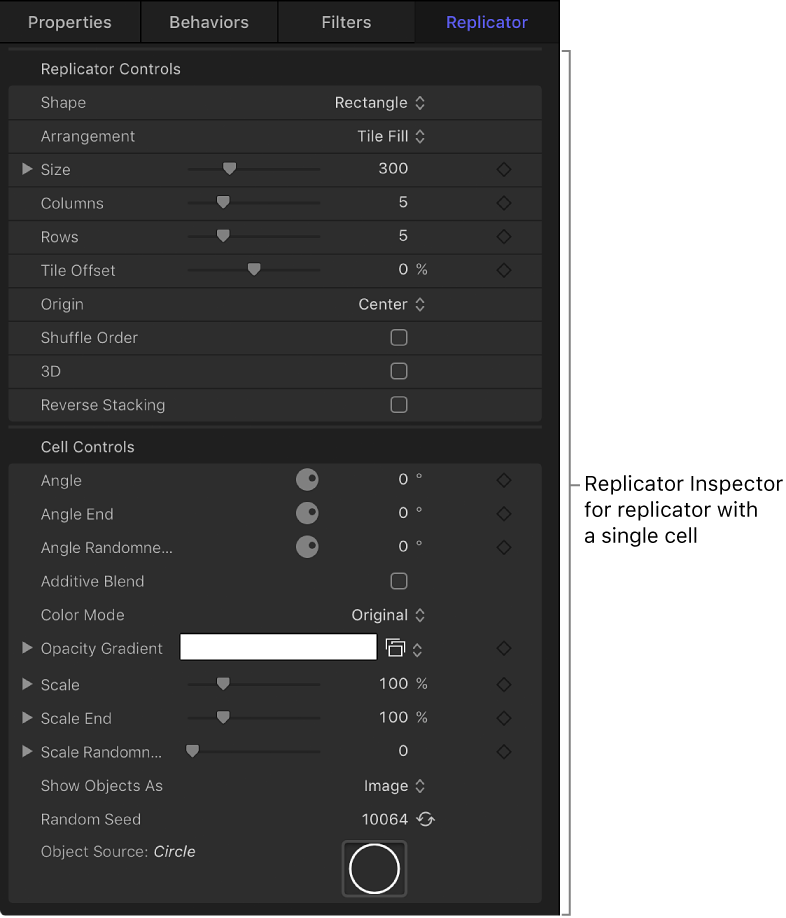
Adjust the Replicator Controls and Cell Controls.
The contents of the Replicator Inspector are dynamic: Different parameters appear depending on the option you choose in the Shape pop-up menu. Also, different parameters appear depending on the option you choose in the Arrangement pop-up menu.
For a complete list of these controls, see Replicator controls.
Select a replicator cell in the Layers list or Timeline.
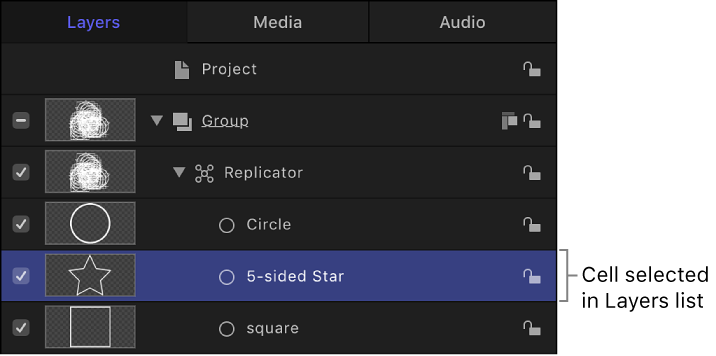
In the Inspector, click Replicator Cell.
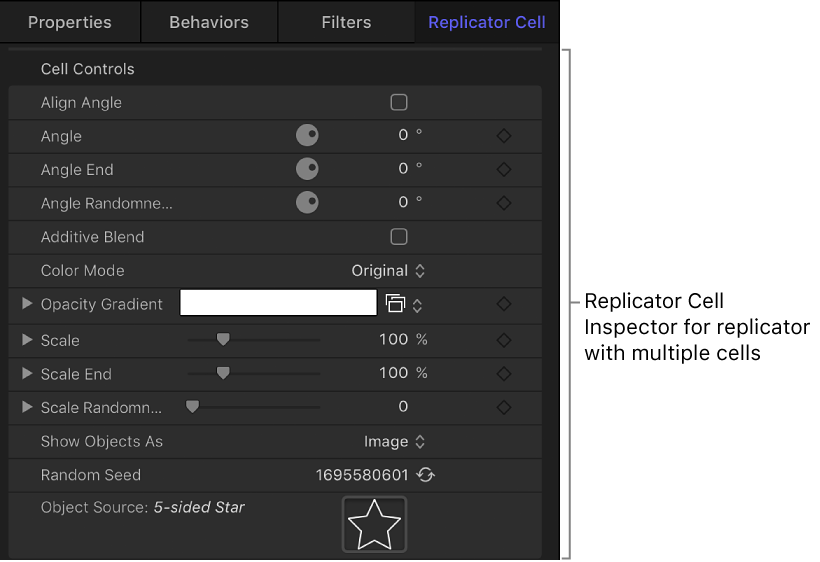
Adjust the Cell Controls.
For a complete list of these controls, see Replicator cell controls.