
Viewports are window divisions in the canvas that display multiple camera views at the same time. Viewports can help you animate and position objects in 3D space. The default viewport is a single camera view. You can add more viewports by clicking the gray box in the top-right corner of the canvas, then choosing an arrangement:
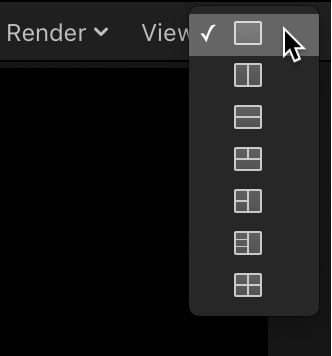
Single: The default value, displays a single viewport window in the canvas.
Two-up, side by side: Displays two viewport windows in the canvas, one next to the other.
Two-up, top and bottom: Displays two viewport windows in the canvas, one on top of the other.
Three-up, large window below: Displays three viewport windows, two next to each other on top and a larger window below.
Three-up, large window right: Displays three viewport windows, two stacked on the left side and a larger window spanning the right side.
Four-up, large window right: Displays four viewport windows, three stacked on the left side and one larger window on the right side.
Four-up: Displays four viewport windows, all the same size.
When working with multiple viewports, the most recent view clicked in is the active view. The active viewport is highlighted with a yellow border. Only the active viewport displays transform handles.
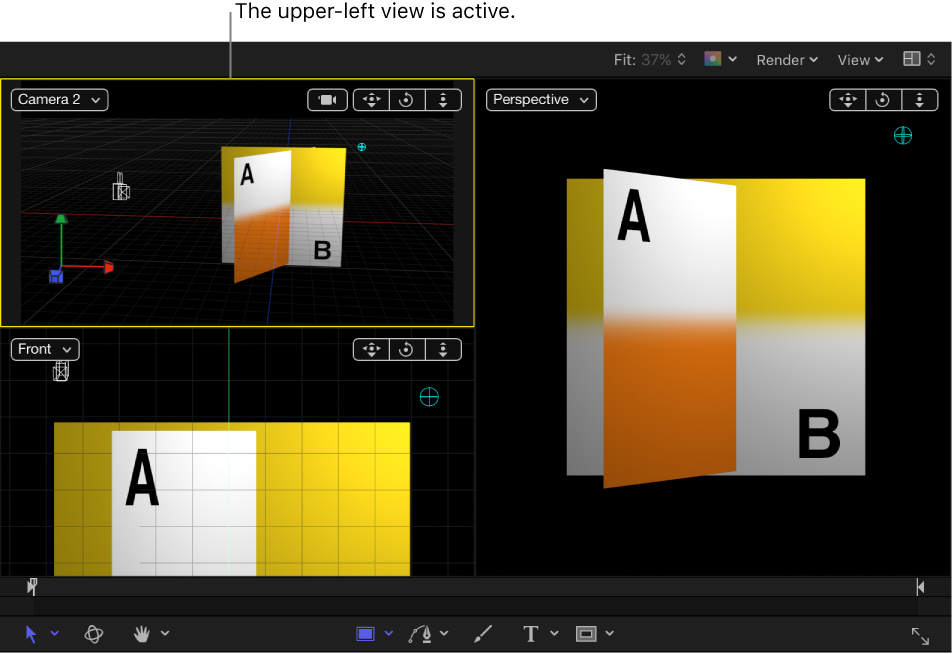
Note: The active viewport in the canvas is not the same as the active camera. For more information, see About cameras and views.