
A rig has no effect until it contains a widget with assigned snapshots (parameter states). Widgets are special controls used to drive parameters in the project.
Widgets are represented in four places in the Motion window:
In the Layers list, under the parent rig.
In the Rig Inspector. If the rig has multiple widgets, they all appear here.
In the HUD.
In the Widget Inspector.
Widgets can be reordered and renamed. Renaming widgets can be important if you have multiple widgets of the same type. Otherwise you see a list of controls that have identical, generic names.
When viewing the Widget Inspector, the controls for the selected widget are displayed.
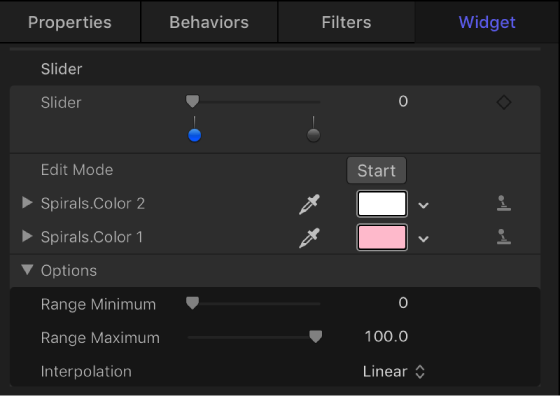
When viewing the Rig inspector, controls for all widgets in the rig are displayed.
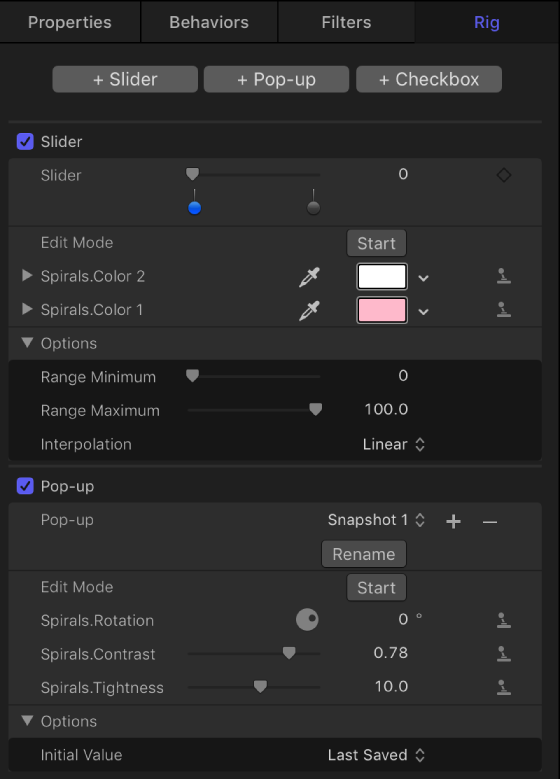
The Widget Inspector and Rig Inspector both display the parameter controls used to modify the widget (an Edit Mode button and the parameters you’ve assigned to it). However, the HUD displays only the assigned widget control (the checkbox, pop-up menu, or slider that toggles or adjusts the widget), not the parameters used to modify the widget.
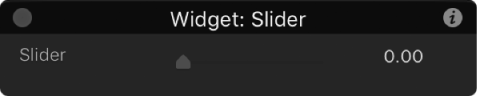
When a rig is selected, the HUD shows all widget controls assigned to that rig.
As an alternative to creating a widget using the buttons in the Rig Inspector, you can create a rig and a widget and then apply a parameter to the widget in a single step.
Do one of the following:
In the Inspector, click a parameter’s Animation menu (the downward arrow that appears when you position the pointer over the right side of a parameter row), choose Add To Rig, choose a rig, then choose a widget type from the submenu.
Drag a parameter row from any Inspector pane to a rig object in the Layers list.
Dropping the parameter row immediately on the rig object creates a slider widget. Pausing briefly causes a drop menu to appear, allowing you to select the widget type you want to create.
A new widget appears in the Layers list, under its parent rig. In the Widget Inspector, the parameter you chose appears under the Edit Mode button, ready for snapshot assignment. For more information, see Create and manage snapshots and Control rigs from parameter Animation menus.
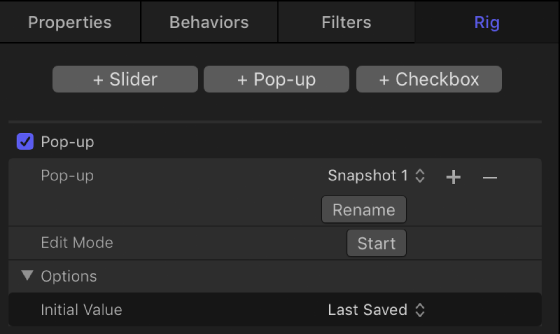
In the Layers list, drag the widgets into the order you want them to appear.
By default, each widget is named according to its type (“Checkbox,” for example). However, you can assign a custom name to identify the settings the widget will affect.
Double-click the widget name in the Layers list, enter a new name, then press Return.
Widget names cannot be changed in the Rig Inspector or Widget Inspector.
Note: If the widget has been published, the name change does not carry through to the published parameter. To synchronize names, rename the widget manually in the Publishing pane of the Project Inspector, or unpublish and republish the newly named widget.
If there are multiple rigs in a project, widgets can be moved easily between the different rigs.
In the Layers list, drag the widget you want move onto another rig.
Select the widget, then do one of the following:
Press Delete.
Choose Edit > Delete.
Control-click the widget, then choose Delete from the shortcut menu.