
You can modify basic 3D text attributes (including font, size, tracking, line spacing, and capitalization) the same way you modify them for 2D text: by adjusting controls in the Format pane and Layout pane in the Text Inspector.
Note: To modify the depth, texture, and lighting attributes of 3D text, use the controls in the Appearance pane of the Text Inspector. For more information, see Modify depth, weight, edges, and corners, Materials overview, and Lighting overview.
In the Layers list, Timeline, or canvas, select a 3D text object, then open the Format pane of the Text Inspector and adjust font, size, alignment, line spacing, tracking and other basic attributes.
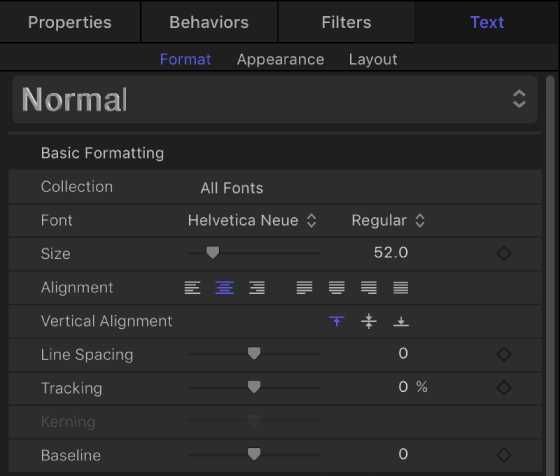
For more information about specific formatting settings, see Format controls in the Text Inspector.
In the Layers list, Timeline, or canvas, select a 3D text object, then open the Layout pane of the Text Inspector and adjust the layout method, direction, and other standard text layout attributes.
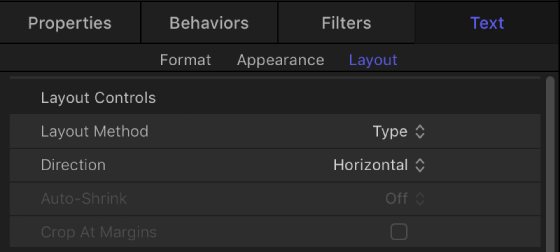
For more information about specific layout settings, see Layout controls in the Layout pane.