
After you select a layer in the Layers list or canvas, you can choose a transform tool (from the pop-up menu in the canvas toolbar) to activate transform handles in the canvas. Drag the handles to manipulate basic image properties such as position, rotation, scale, and so on. For a list of transform tools and their functions, see Transform tools.
The Select/Transform tool (the arrow) is the default transform tool. Use it to resize, reposition, or rotate layers in the canvas.
Do one of the following:
If the Select/Transform tool (the arrow) is visible in the canvas toolbar, click it.
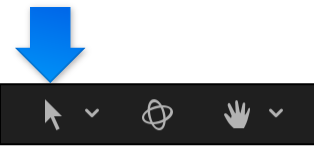
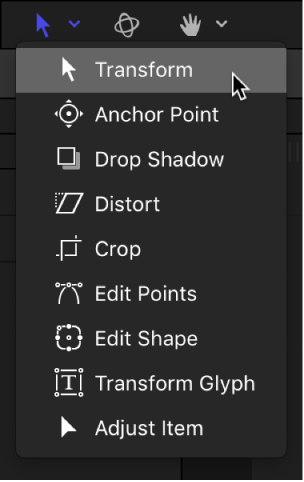
If a different transform tool is visible in the canvas toolbar, click and hold the transform tools pop-up menu, then choose Select/Transform.
The Select/Transform tool is selected in the canvas toolbar, and transform handles appear in the canvas for each selected layer or group.
When you choose a transform tool from the pop-up menu in the canvas toolbar, transform handles appear in the canvas for each selected layer or group.
Do any of the following:
In the canvas toolbar: Click and hold the transform tools pop-up menu, then choose a different tool. For a list of transform tools and their functions, see Transform tools.
In the canvas: In the canvas toolbar, click the active transform tool, then Control-click any layer in the canvas and choose a tool from the shortcut menu.
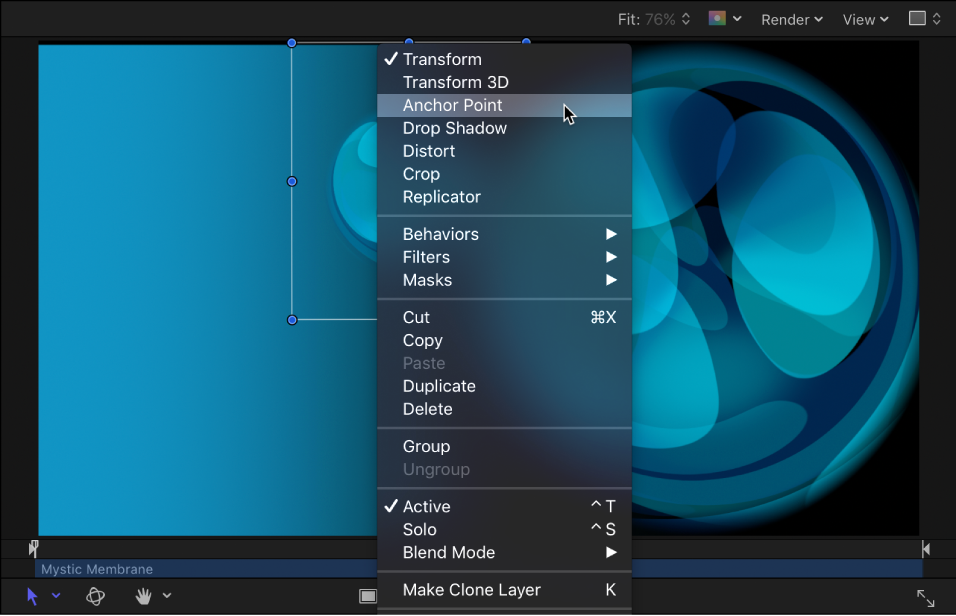
The options in the shortcut menu vary depending on the type of layer selected. For example, a shape layer contains shape-specific options such as Stroke, Edit Gradient, and Edit Points.
With the Tab key: In the Layers list or canvas, select a layer, then press Tab. Pressing Tab repeatedly cycles through the transform tools in order. Pressing Shift-Tab cycles through the tools in reverse.
Note: When pressing Tab, the 3D Transform tool is activated between the Select/Transform tool and the Anchor Point tool. For more information about 3D transforms, see Transform layers in 3D space.
Select one or more layers in the Layers list or canvas.
In the canvas toolbar, click and hold the transform tools pop-up menu, then choose a tool.
Drag an onscreen control (such as a transform handle or control point) in the canvas.
If you selected a single layer, only that layer is modified. If you selected multiple layers, each is transformed. Each transformation occurs around each layer’s own anchor point.
If you select and then transform an entire group, all layers and groups nested in it are treated as a single layer.
Select a group in the Layers list.
In the canvas, a single set of transform handles appears on a bounding box that encompasses all layers in the group.
In the canvas toolbar, click and hold the transform tools pop-up menu, then choose a tool.
Drag an onscreen control (such as a transform handle or control point) in the canvas.
All layer transforms occur around a single anchor point belonging to the group
If you select a layer and its parent group (but not the other layers in the group), the following occurs:
The scale handles of the parent group remain available, and the scale handles of the individual layers within the group are dimmed. Dragging the group’s scale handles scales the group, not its nested objects.
The rotation handles of the individual layers remain available. Dragging an object’s rotation handle rotates that object independently of the other objects in the group.