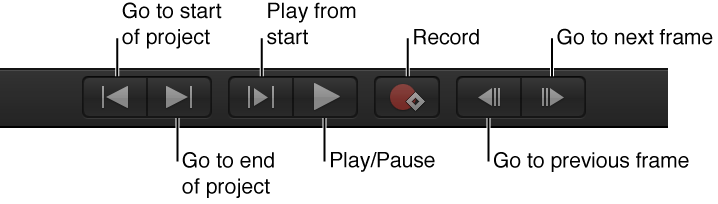

After you add content to your project, use the transport controls at the bottom of the Canvas to play your sequence back in real time, to jump to the beginning or end of your project, to advance your project frame by frame, and more.
Note: Most of the transport controls have a keyboard shortcut.
The transport controls contain the following buttons:
Go to start of project: Returns the playhead to the beginning of the project. (Keyboard shortcut: Home)

Go to end of project: Moves the playhead to the end of the project. (Keyboard shortcut: End)
Play from start (of a play range): Plays from the In point to the Out point of the play range. To learn how to set a play range, see Define the play range.
Play/Pause: Starts and stops playback. (Keyboard shortcut: Space bar)
Record: Turns on and turns off animation recording. When recording is turned on, the values for animatable parameters appear red in the Inspector, indicating that any change you make to a parameter (such as moving an object in the Canvas or adjusting a slider) creates a keyframe. (Keyboard shortcut: A)
Go to previous frame: Moves the playhead backward by one frame. (Keyboard shortcut: Left Arrow or Page Up)
Go to next frame: Advances the playhead by one frame. (Keyboard shortcut: Right Arrow or Page Down)
There are two buttons to the right of the transport controls that also affect playback:
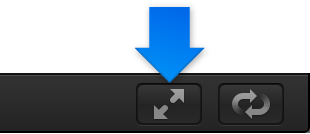
Player Mode: Hides or shows the File Browser, Library, Inspector, Project pane, and Timing pane to maximize Canvas space. For more information, see Expand the Canvas to full-screen player mode.
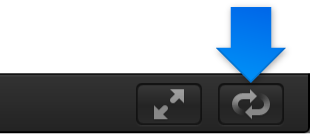
Loop playback: Controls whether playback loops indefinitely, or whether playback stops when the end of the play range is reached. For more information, see Define the play range. (Keyboard shortcut: Shift-L)
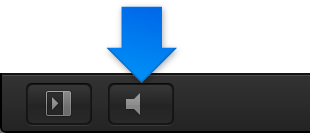
And to the left of the playback controls is another button that also can affect playback:
Play/Mute audio: Turns audio playback on or off. Turning audio off can improve playback performance.