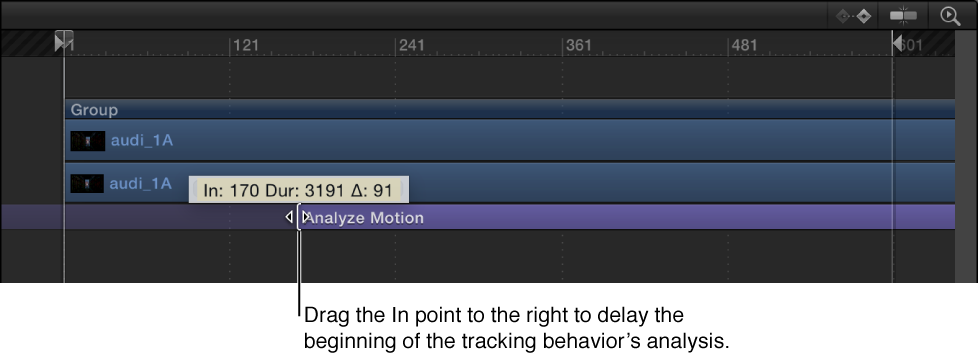
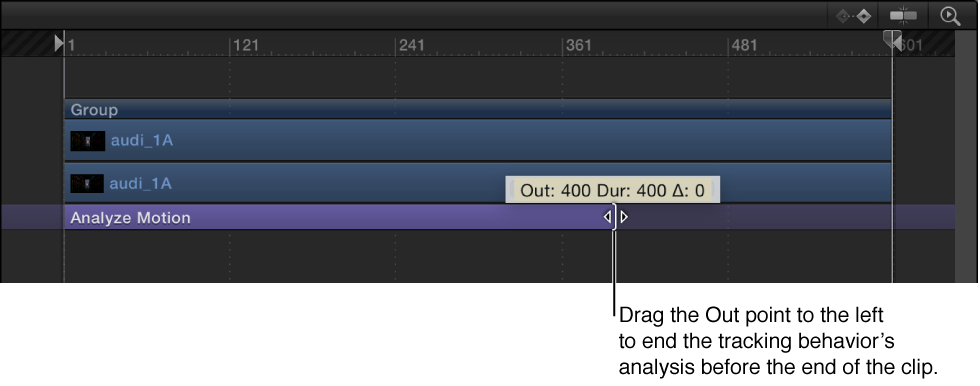
With the exception of the Stabilize behavior, the tracking behaviors begin their analysis at the current playhead position. The Stabilize behavior’s automatic analysis mode starts from the beginning of a clip (regardless of the playhead’s position). You can specify what portion of a clip is analyzed by setting In and Out points for the clip, or by trimming the tracking behavior in the Timeline or mini-Timeline.
You can also track a specific range of frames by adjusting the start and end points of the purple Analyze Motion bar in the Timeline or mini-Timeline.
Change the In point of the tracking behavior
Do one of the following:
Position the playhead at the correct frame, select the clip, then choose Mark > Mark Play Range In (or press Option-Command-I).
Adjust the start point of the purple tracking behavior bar in the Timeline or mini-Timeline
Note: If you adjust the length of the tracking behavior bar, make sure to set your tracking reference points within the range of the behavior.
Change the Out point of the tracking behavior
Do one of the following:
Position the playhead at the correct frame, select the clip, then choose Mark > Mark Play Range Out (or press Option-Command-O).
Adjust the end point of the purple tracking behavior bar in the Timeline or mini-Timeline.
Note: If you adjust the length of the tracking behavior bar, make sure to set your tracking reference points within the range of the behavior.
Note: If you’re performing a reverse track analysis, set In and Out points for your track.