
Change the transition midpoint between adjacent color or opacity tags
Drag the small triangle between adjacent color tags or opacity tags to change the point where one tag’s effect ends and the next tag’s effect begins. The closer the middle control is to a tag, the sharper the color or opacity transition.
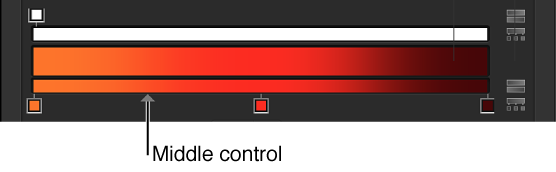
Note: The middle control does not appear for color or opacity tags set to Linear or Constant.