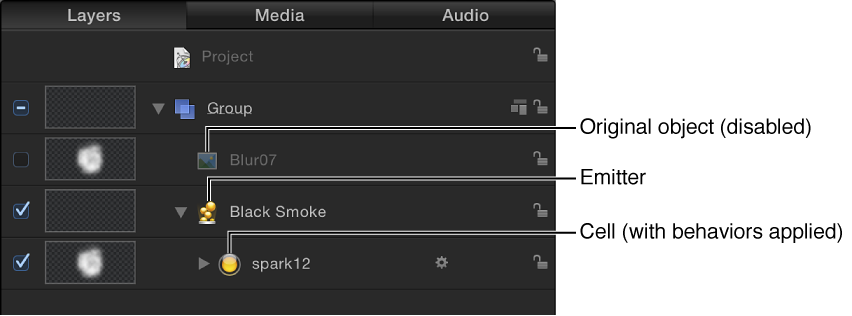
An emitter appears in the Layers list and is selected.
A cell containing the image or images to be “particle-ized” appears as a sublayer underneath the emitter (click the disclosure triangle beside the emitter layer to hide or reveal its cells).
The original source layer (the cell source) is disabled.
Note: Changes made to the original source layer, such as opacity or shearing, are also applied to the particles even after the emitter is created.
In the Canvas, a bounding box with transform handles appears around the selected particle system.
Note: For projects with a frame rate greater than 30 frames per second (fps), you may see only the bounding box (not the first particle) at the first frame of your project. Because Motion generates particles at a default rate of 30 per second, there’s no guarantee that a particle will appear on every frame.
The first particle appears in the Canvas in the same location as the original (now-disabled) source layer.
The Emitter HUD appears. If you’ve hidden the HUD, press F7 to show it.
The Emitter Inspector becomes available.