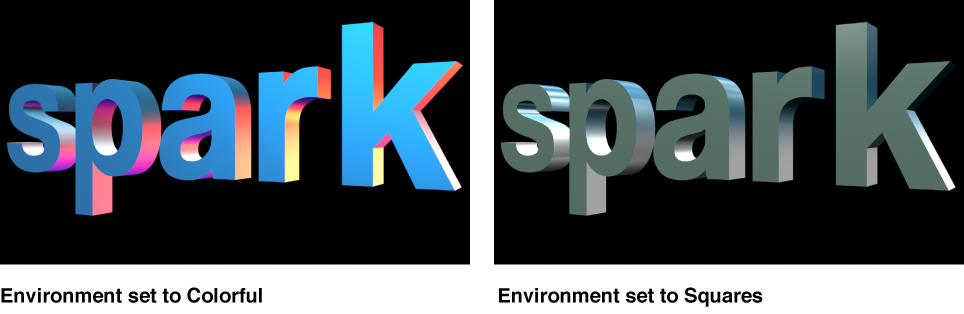

Reflective objects such as 3D text need something to reflect. In Motion, you can choose what’s reflected in the surface of 3D text objects by enabling environment lighting.
Environment lighting projects an image onto the 3D text object to simulate a reflected world.
Because environment lighting emulates the reflective properties of real-world objects, its effects are more noticeable on 3D text with shiny surfaces.
In the Layers list, Timeline, or Canvas, select a 3D text object.
In the Appearance pane of the Text inspector, click the disclosure triangle to expand the Environment section of controls.
Click the Type pop-up menu and choose an environment.
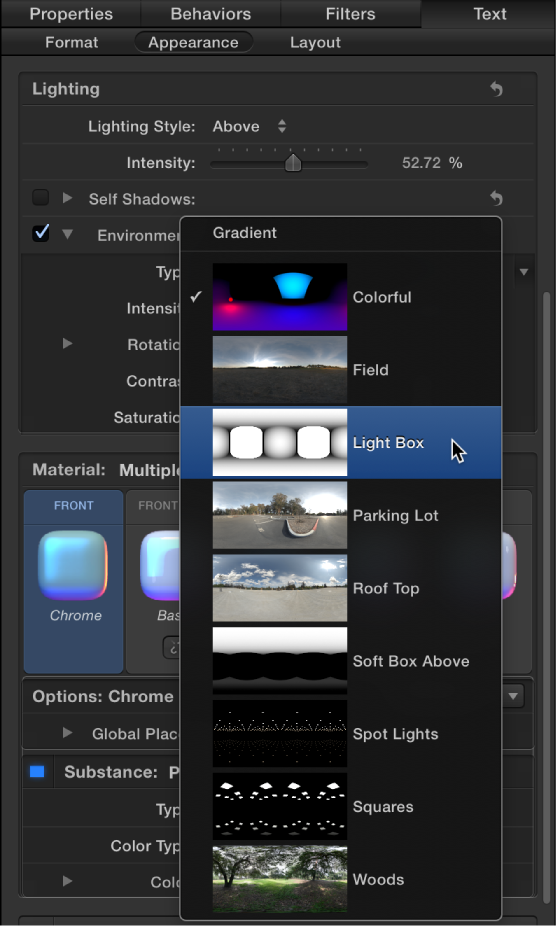
Choose one of the preset images (such as Roof Top, Light Box, and so on) or choose Gradient and choose a preset gradient or create a custom gradient to act as the source of the reflection. For information on using gradients, see Gradient editor overview.
Tip: You may need to rotate the 3D text object around its X or Y axis to see different parts of the reflected environment. For more about rotating a text object, see Move and rotate 3D text.
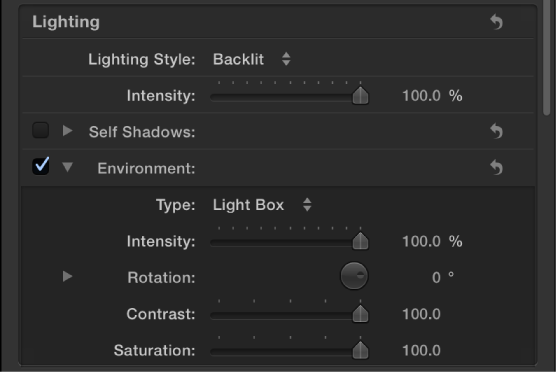
In the Appearance pane of the Text inspector (in the Environment section), do any of the following:
Drag the Intensity slider to the left to make the reflected image appear dimmer, or drag the slider to the right to make the reflected image appear brighter.
Drag the Rotation dial to change the angle at which the environment image appears reflected in the 3D text object.
Tip: By default, environments rotate around the Y axis (unlike other rotation controls in Motion which default to rotating around the Z axis). If you want to rotate around a different axis than the default, click the disclosure triangle next to the Rotation dial to reveal separate X, Y, and Z axis rotation dials.
Drag the Contrast slider to the right to make the reflected image to create a sharper difference between the light and dark areas.
Drag the Saturation slider to the left to reduce the amount of color visible in the reflected image.
Because the environment control effectively adds a light source to your 3D text object (even when Lighting Style is set to Off), you may want to turn off the Environment entirely—for example if you add scene lights to create a custom lighting environment.
Deselect the activation checkbox to the left of the Environment controls.
Tip: If your project has more than one 3D text object, for more realistic results make sure that all text objects use same reflection environment.
For a list of Environment controls, see Lighting and environment controls.