
Display a complex shape’s control points
Do one of the following:
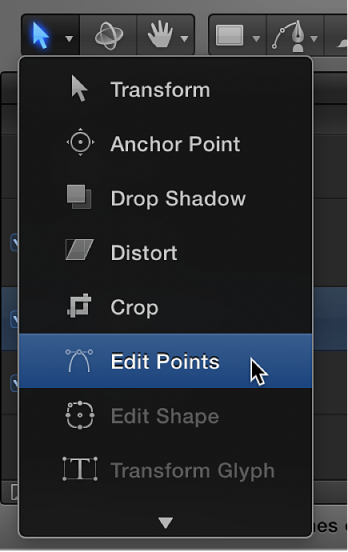
In the Layers list, Canvas, or Timeline, select a shape containing control points (a spline shape), then click and hold the 2D transform tools pop-up menu in the toolbar and choose the Edit Points tool.
Double-click a spline shape in the Canvas.
Control-click a spline shape in the Canvas, then choose Edit Points from the shortcut menu.
Note: Overlays must be enabled in the View menu (or the View pop-up menu above the Canvas) to see the control points and spline of a shape. In addition, if Handles or Lines are turned off in the View > Overlays submenu (or in the View pop-up menu), you cannot see a shape’s Bezier or B-Spline control points when editing.