
Show or hide the Timing pane
Do one of the following:
Choose Window > Video Timeline (or press Command-7).
Click the Show/Hide Timeline button in the lower-right corner of the Motion project window.
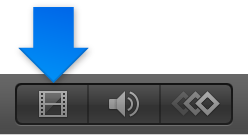
Note: To collapse the entire Timing pane (Timeline, Audio Timeline, and Keyframe Editor), make sure that all three buttons in the lower-right corner of the Motion project window are dimmed.