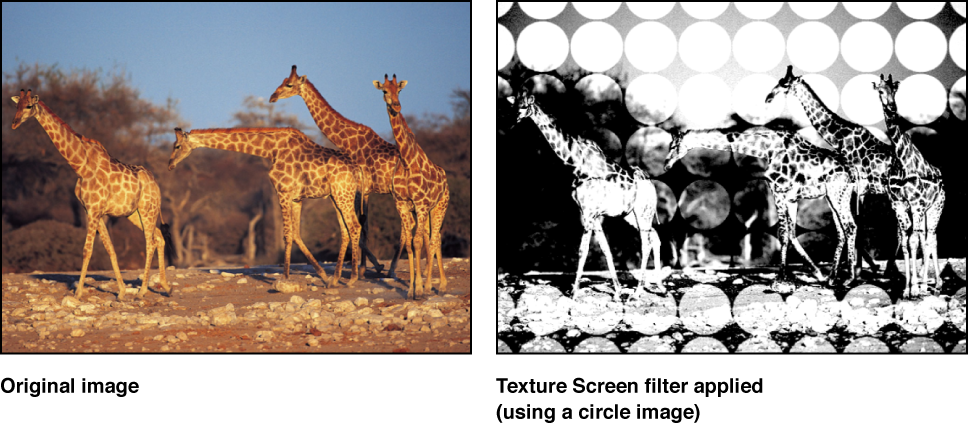

Uses a source object specified by the Map Image parameter to screen the target image. The source object can be any image, movie, or shape. By default, Texture Screen behaves as if there were a black image applied to the Map Image well, which makes the target appear desaturated and washed out.
Adjust this filter using the parameter controls in the Filters Inspector:
Map Image: Displays a thumbnail of the map chosen to generate the screen.
Center: Sets the position of the center of the texture screen. You can also drag the Center onscreen control in the Canvas.
Angle: Sets the angle at which the texture screen is placed.
Skew: Sets the amount of skew applied to the map image.
Stretch: Sets the amount of stretch applied to the map image.
Scale: Sets the scale applied to the map image.
Contrast: Sets the amount of contrast applied to the image by the screen.
Threshold: Sets the threshold of brightness of the background image used to determine the brightness of the luminance map.
Noise Contrast: Sets the amount of contrast added to the noise.
Noisiness: Sets the amount of noise.
Mix: Sets the percentage of the original image to be blended with the filtered image.
Publish OSC: Publishes the filter’s onscreen controls in Final Cut Pro X. For more information on creating content for use in Final Cut Pro, see Final Cut Pro templates overview.