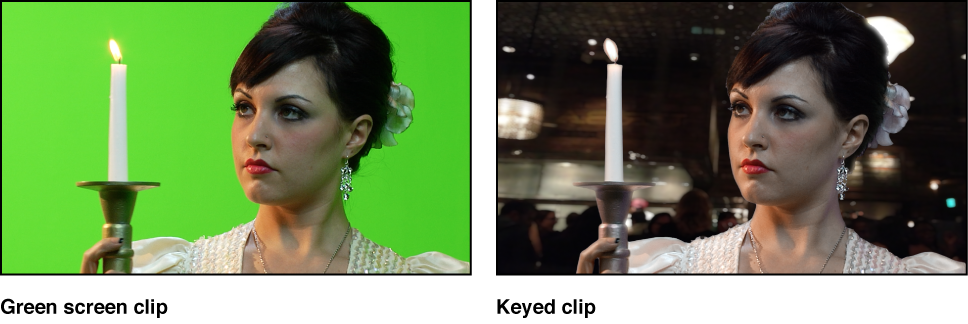

Keying is the process of isolating a foreground subject against a background area of uniform color or brightness to generate an alpha channel (a matte) based on the shape of the colored area. Keying is commonly performed on subjects photographed against a blue- or green-colored background, but keys can be based on any color (color or chroma keying), or on a specific range of brightness values (luma keying).
Color keying (also known as chroma keying) is commonly used on television to create the familiar effect of a newsreader or show host backed by a cavalcade of animated graphics. You can do the same thing in Motion using the Keyer filters.
Important: Keying to isolate a foreground subject is not always easy; learning how to use the parameters in each filter to best effect takes time and patience. Most keys are “pulled” using more than one tool. Good compositing artists usually combine masked keyer filters, matte adjustment filters, spill suppression operations, and garbage or holdout masks to isolate a single subject. The Keyer filter in Motion combines many of these operations within a single set of parameters. In some instances, it may be necessary to apply different keyer settings to different areas of the subject, requiring the use of multiple keying filters and masks.
There are two types of keyer filters in Motion:
Use the Keyer filter for blue screen or green screen keying, or for keying any range of color you choose.
Use the Luma Keyer to generate mattes based on a sampled range of lightness in the image.
Two other filters provide standalone access to matte finishing operations:
Use the Matte Magic filter to refine the edges of a matte.
Use the Spill Suppression filter to manually correct matte problems created when the background color creates a reflection on the foreground subject.