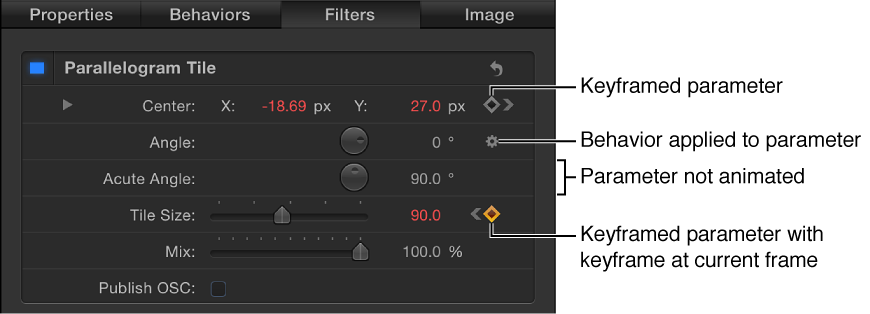

In the Inspector, basic keyframe controls are available on the right side of animatable parameter rows. These controls allow you to determine the status of a parameter at a glance, to add or delete keyframes at the current playhead, and to navigate to next and previous keyframes in the Timeline.
Moving the pointer over an animatable parameter reveals the Add/Delete Keyframe button (a plus sign enclosed in a gray diamond). Click the button to place a keyframe for that parameter at the current frame. If a parameter is keyframed at the current frame, as well as before and after the current frame, additional navigation controls appear:
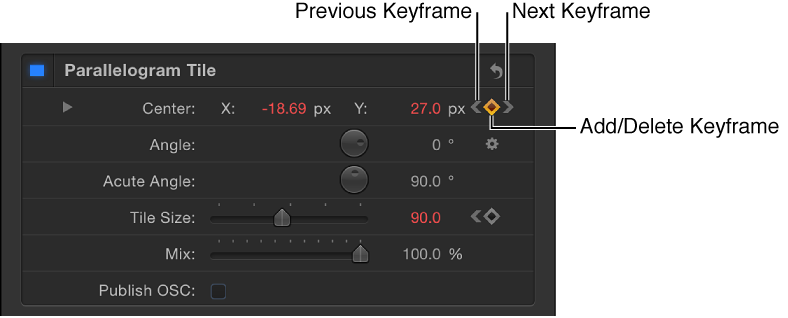
Previous Keyframe: A left angle bracket that appears when there’s a keyframe in the Timeline to the left of the playhead position. Click this control to move to a previous keyframe in the Timeline.
Add/Delete Keyframe: A diamond-shaped button with several states. A gray diamond indicates that there’s no keyframe at the current frame. Click this button to add a keyframe at the playhead position. When you add a keyframe, the diamond turns orange, indicating that there’s a keyframe at the current frame. Clicking the orange diamond deletes the keyframe. When the playhead advances to a frame that’s not keyframed, the diamond turns gray.
Next Keyframe: A right angle bracket that appears when there’s a keyframe to the right of the playhead position. Click this control to move to the next keyframe in the Timeline.
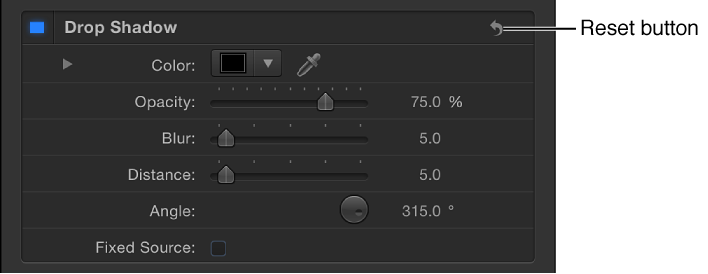
Reset button: A curved arrow button at the top of each parameter section in the Inspector. Click this button to remove all keyframes applied to all parameters in this section of the Inspector and restore those parameters to their default state.