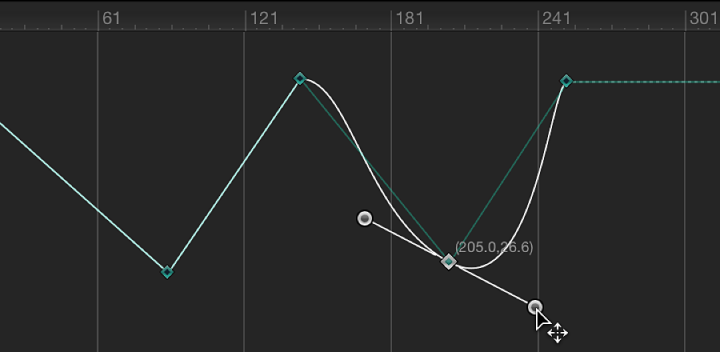
Convert to Bezier interpolation

Bezier interpolation—the default keyframe type—is the most flexible method of curve generation because it allows manual modification of the curve. If you’ve converted Bezier keyframes to another linear keyframes, Motion lets you convert them back to Bezier keyframes.

Convert a linear keyframe into a Bezier keyframe

Note: Command-clicking a Bezier point resets it to Linear interpolation.

To simultaneously modify the tangent handles of more than one keyframe point, Shift-click to select multiple points, then adjust the tangent handles. If there are no tangent handles on the point, drag the point while holding down the Command key.
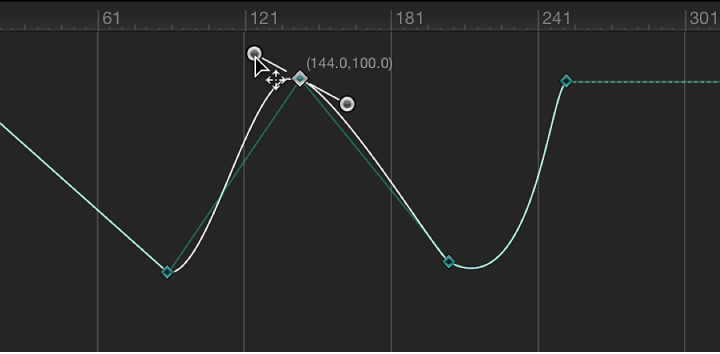
Adjust tangents of a keyframe point

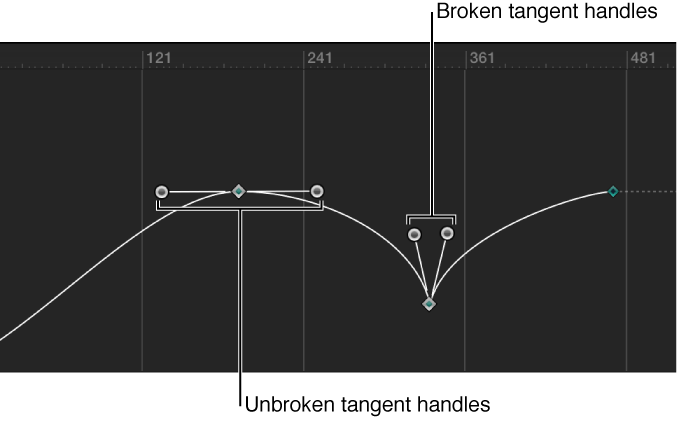
Each Bezier keyframe point has two tangent handles that adjust the angle of curve at the keyframe. By default, these handles are locked together (moving one moves the other, creating a uniform curve at the keyframe point). However, you can break the handle to create separate curve segments on each side of a keyframe point. Doing so lets you create irregular curves.

Curve with unbroken and broken keyframe point tangent handles

Do any of the following:

Constrain a tangent handle’s angle to 45-degree increments