
This behavior aligns the rotation of an object to match all changes made to its position along an animation path. Snap Alignment to Motion is meant to be combined with behaviors that animate the position of an object, or with a keyframed animation path you create yourself.
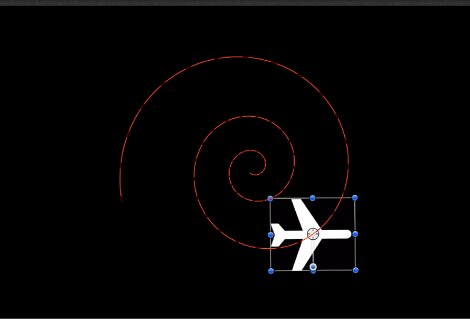
In the following example, a graphic of an airplane is shown traveling a spiral motion path. On its own, the orientation of the graphic doesn’t change, because only the Position parameter is affected.
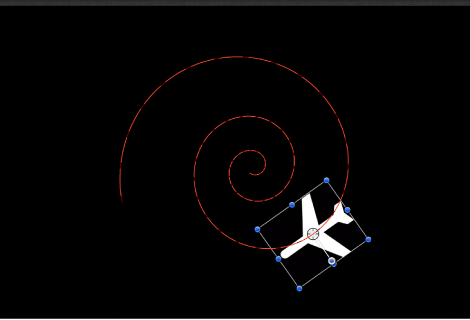
If you add the Snap Alignment to Motion behavior to the airplane graphic, the Rotation parameter is affected so the graphic points in the direction of motion, without the need for additional keyframing.
Adjust this behavior using the controls in the Behaviors Inspector:
Rotation Axis: A pop-up menu to rotate the object around the X, Y, or Z axis. You can also choose All to rotate the object around all three axes. The default rotation axis is Z. All uses the acceleration direction as “up,” like a roller coaster.
Axis: A pop-up menu to specify whether the object aligns to its horizontal or vertical axis.
Invert Axis: A checkbox that, when selected, flips the object so it faces the proper direction. Select this checkbox if the object is aligning on the correct axis, but appears backwards.
End Offset: A slider that offsets the end of the behavior’s effect relative to the last frame of its position in the Timeline, in frames. For example, if End Offset is set to 60, the object actively snaps to the direction of the path until 60 frames before the end of behavior in the Timeline.