
Wave Shape: A pop-up menu that sets the shape of the oscillation’s wave. There are four shapes:
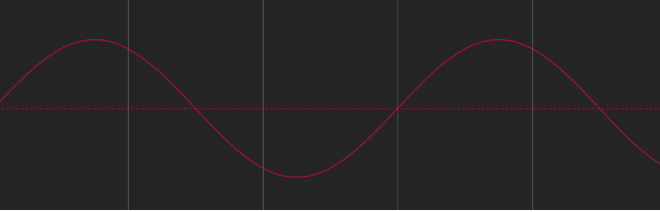
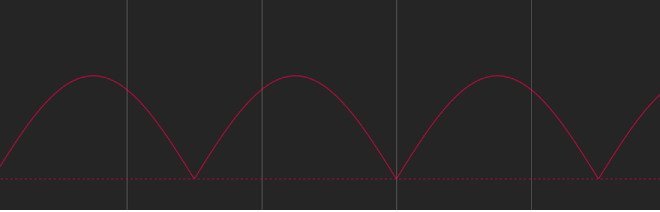
Sine: The default wave shape, creates a smooth animation between values. For example, if Oscillate is applied to an object’s Opacity parameter, and the Wave Shape is set to Sine, the object gracefully fades in and out.
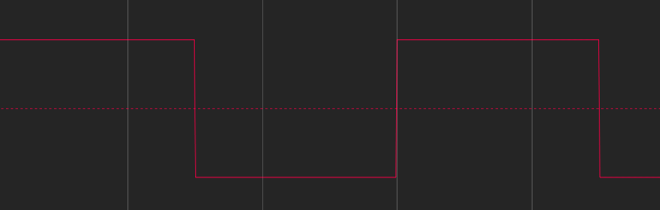
Square: Creates abrupt changes in values. For example, when Oscillate is applied to an object’s Opacity parameter, and the Wave Shape is set to Square, the object flashes on and off (like turning a light switch on and off).
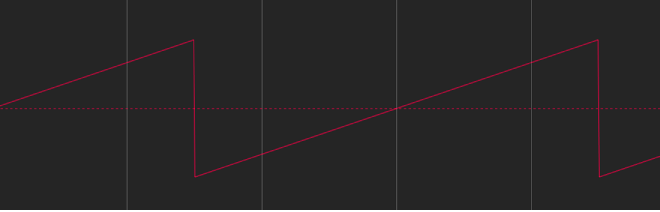
Sawtooth: Ramps upward over time and then drops sharply. For example, when Oscillate is applied to an object’s Opacity parameter, and the Wave Shape is set to Sawtooth, the object fades in slowly and fades out abruptly (like using a light dimmer to fade up a light, and then flicking the power switch off).
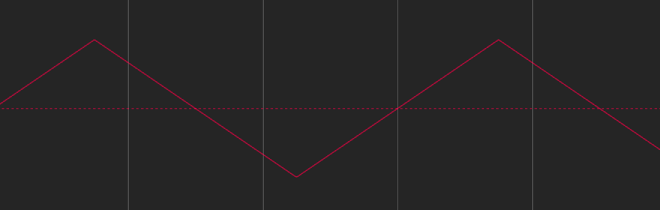
Triangle: Similar to the sine wave, creates a smooth animation between values but with sharper changes at the transitions. For example, when Oscillate is applied to an object’s Opacity parameter, and the Wave Shape is set to Triangle, the object fades in and out more acutely than it does with the Sine Wave setting.
Phase: A slider that sets the point of the specified oscillation where the behavior starts. This parameter lets you put multiple objects with identical Oscillate behaviors out of phase with one another so they don’t all look the same.
Amplitude: A slider that sets the maximum values between which the parameter oscillates. The parameter swings between the amplitude value and the negative of the amplitude value. Higher values result in more extreme swings from the beginning to the ending of each oscillation.
Speed: A slider that sets the speed at which the oscillation occurs, in oscillations per minute. Higher values result in faster oscillations.
Half Range: A checkbox that, when selected, cuts the sine wave (or other wave shape) in half and prevents it from crossing the value of 0. For example, when Amplitude is set to 100, the parameter oscillates between 100 and –100. When Half Range is selected, however, the parameter oscillates between 100 and 0. When Amplitude is set to –100, the parameter oscillates between –100 and 0.
Tip: When you’re oscillating position parameters, set Wave Shape to Sine and enable Half Range to create a bouncing effect.
Start Offset: A slider that delays the beginning of the behavior’s effect relative to the first frame of its position in the Timeline. Adjust this parameter to make the behavior start later. The units of this parameter are in frames.
End Offset: A slider that offsets the end of the behavior’s effect relative to the last frame of its position in the Timeline, in frames. Adjust this parameter to make the behavior stop before the end of the behavior bar in the Timeline. Using this slider to stop the effect, instead of trimming the end of the behavior bar in the Timeline, freezes the end of the effect for the remaining duration of the object. Trimming the end of the behavior bar resets the object to its original parameters.
Apply To: A pop-up menu that shows the parameter affected, and that can be used to reassign the behavior to another parameter.