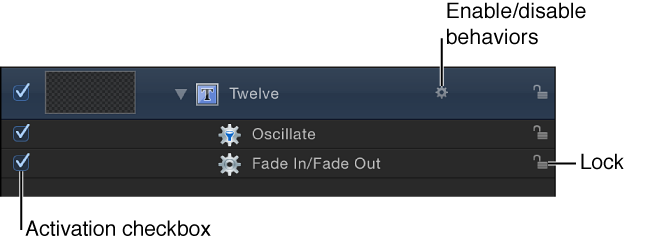

When you apply a behavior to an object, the behavior appears in three places: the Layers list, the Timeline, and the Behaviors Inspector.
The Behaviors Inspector contains all editable parameters for a behavior that’s been applied to an object. The Layers list and Timeline have several controls for each behavior:
Note: In the Layers list and Timeline, Control-clicking an object’s behavior icon (the small gear) opens a shortcut menu that displays behaviors applied to that object. Choose a behavior from this menu to display its parameter controls in the Inspector.
Deselect the behavior’s activation checkbox in the Layers list, Timeline, or Behaviors Inspector.
Behaviors that are disabled have no effect on the object to which they’re applied.
Click the behavior icon that appears to the right of the object name in the Layers list and Timeline.
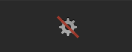
A red slash appears through a disabled behavior’s icon, the behavior names are dimmed, and their effect disabled.
Click the lock icon in the Layers list or Timeline.
You cannot modify the parameters of a locked behavior.
Click the Show/Hide Behaviors button at the bottom of the Layers list (or at the top of the Timeline layers list).

This button neither enables nor disables behaviors applied to objects in your project; it merely controls their visibility as objects in the Layers list and Timeline.
In the Layers list or Timeline, double-click a behavior name, enter a new name, then press Return.