Move a behavior in the Timeline
Click anywhere in the middle of a behavior’s bar in the Timeline.
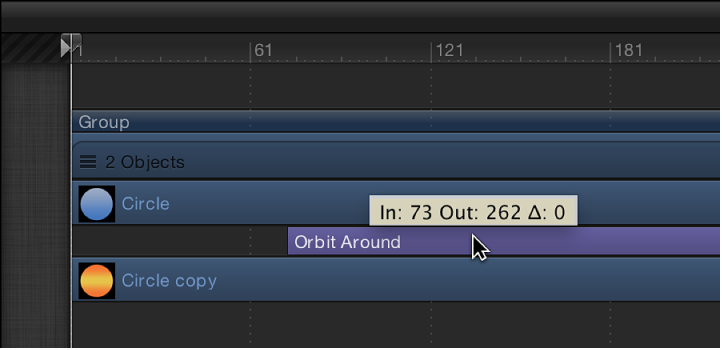
Drag the behavior to the left or right to move it to another position in the Timeline.
As you move the bar, a tooltip displays the new In and Out points for the behavior. The tooltip also displays the delta value, which shows the number of frames you’ve moved the bar.