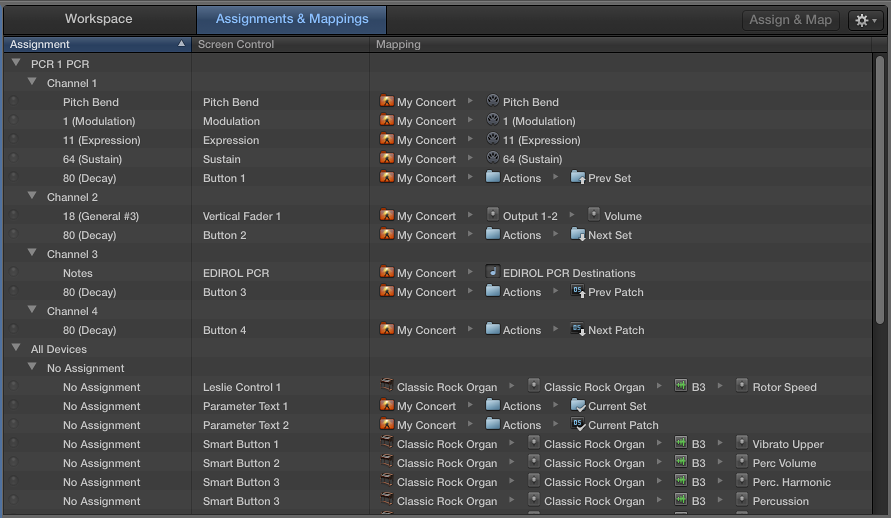

You can view and edit assignments and mappings for the selected patch, set, or concert in the Assignments & Mappings table, and create and edit assignments and mappings without leaving Edit mode.
The Assignments & Mappings table shows the following for the selected item:
Assignment column: Lists the assignments in the patch, set, or concert by device and MIDI channel.
Screen Control column: Shows the screen control to which each hardware control is assigned.
Mapping column: Shows the mapping for each control, following the same order as the Screen Control Inspector.
You can quickly see whether a hardware control is assigned and see the parameter or action to which it is mapped. When you manipulate a hardware control, a yellow dot appears in the row showing its assignment and mapping.
The Assignments & Mappings tab also includes an Action pop-up menu, with items for creating assignments and for selecting a mapping row when it receives MIDI input.
Click the Assignments & Mappings tab at the top of the workspace (or press Shift-Command-M).
Click the Workspace tab at the top of the window (or press Shift-Command-W) to return to the workspace.