
Connect a microphone to your computer
Do one of the following:
Connect the microphone to an input on the audio interface using a standard XLR cable.

Connect a USB microphone to a USB port on your computer. Choose the USB microphone as the audio input source in MainStage > Preferences > Audio, then choose the input from the Input pop-up menu on audio channel strips in your concert.
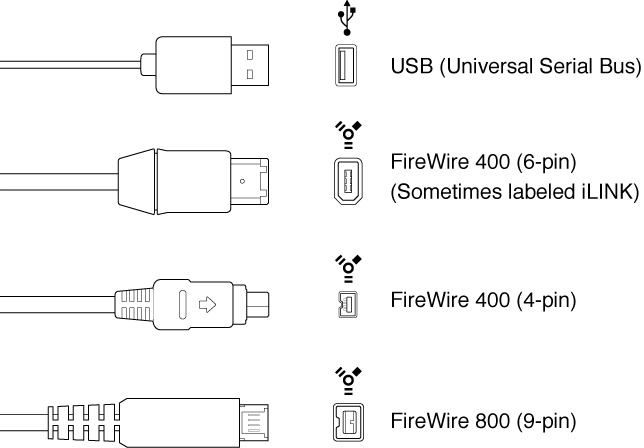
Connect an audio interface to your computer’s USB or FireWire port, then connect a microphone to the audio interface.
Connect an audio mixer or console to an audio interface, then connect the interface to your computer.
If your computer has an audio input port, connect the microphone to the audio input port, then choose Built-in Input as the audio input source in MainStage > Preferences > Audio.

If you are using your computer’s built-in microphone, choose Built-in Microphone as the audio input source in MainStage > Preferences > Audio. No additional steps are necessary to connect the microphone.