Change the tempo using a patch
In the Attributes pane of the Patch Inspector, set the patch tempo using the Change Tempo To value slider.
To activate the patch tempo when the patch is selected, select the Change Tempo To checkbox.
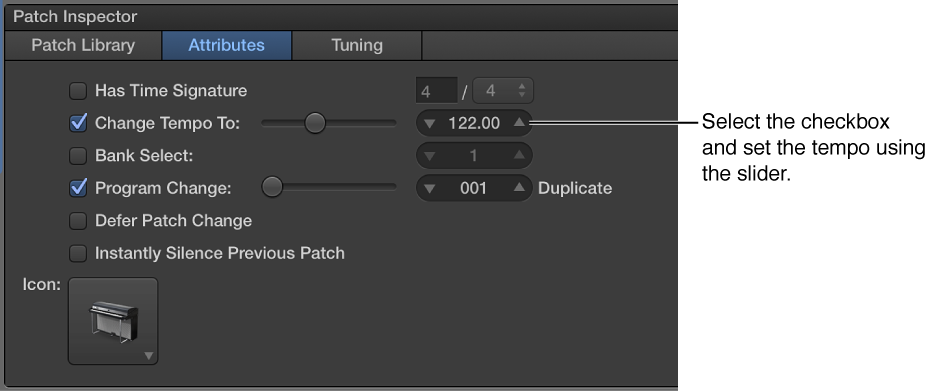

You can give a patch its own tempo setting so that when you select the patch, the tempo changes to the patch tempo setting. MainStage uses the new tempo until you select another patch or set with its own tempo setting, tap a new tempo, or until MainStage receives tempo information from incoming MIDI messages. For more information about using and changing tempo in MainStage, see Tempo overview.
In the Attributes pane of the Patch Inspector, set the patch tempo using the Change Tempo To value slider.
To activate the patch tempo when the patch is selected, select the Change Tempo To checkbox.