
Some plug-ins, including the Playback and Ultrabeat plug-ins, require a time source, and use beat and tempo information in order to play in time.
Additionally, some third-party applications and plug-ins using their own sequencer or playback engine may behave differently than the included plug-ins. These applications (which include Reason and other ReWire applications, and Reaktor) require a play message from the host application to begin playback and require a stop message to end playback. They may also require a continue (also sometimes called “resume”) message to continue playback from their current time position.
MainStage includes an internal beat clock or “time base” that you can use to control the playback of these plug-ins. The MainStage clock generates beat, time position, and tempo information so sequencer-oriented plug-ins can start, stop, and play in time. The MainStage clock operates similarly to the song position in Logic Pro or other DAW applications.
You can send play and stop messages in the following ways:
Using the Play/Stop button in the toolbar, if it is visible
Using the Metronome button in the toolbar, if it is visible (turning on the metronome also starts the MainStage clock, if it is not already running)
Using a screen control mapped to the Play/Stop, Play, or Stop action
Using a screen control mapped to the Continue action to resume playback of a third-party plug-in (but not a Playback plug-in)
Different plug-ins can make use of the MainStage clock in different ways, depending on what information they require and what mode they are set to. Some plug-ins may only make use of the beat information, while others may only make use of tempo information. For example:
The Playback plug-in can start immediately (if Snap To is set to Off), at the beginning of the next bar (if Snap To is set to Bar), or at the next beat (if Snap To is set to Beat). It can also start when you start the MainStage clock (if Start with Play Action is chosen from the Action pop-up menu).
UltraBeat starts when you start the MainStage clock if its sequencer is turned on, except in Pattern mode.
Reason and other ReWire applications start when you start the MainStage clock, and stop when you stop the MainStage clock.
For plug-ins with synchronizable LFOs, the LFO can oscillate at the tempo set by the MainStage clock (you can also send MIDI beat clock to synchronize external MIDI devices).
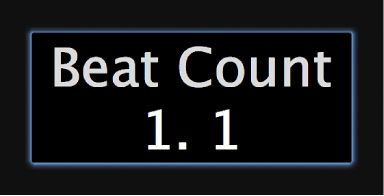
You can view the beat information of the MainStage clock using a Parameter Text screen control mapped to the Beat Count action. When the MainStage clock is running, the current bar and beat are displayed in the screen control.
Important: When you start the MainStage clock, the audio engine is reset, causing a brief interruption in the audio output from MainStage. In some cases, you may want to start the MainStage clock at the beginning of a song or performance and use screen controls mapped to individual plug-in parameters to start and stop those plug-ins to avoid an interruption in the audio output while you are performing.