
Click the Controller button to assign up to four MIDI controllers to Arpeggiator plug-in parameters.
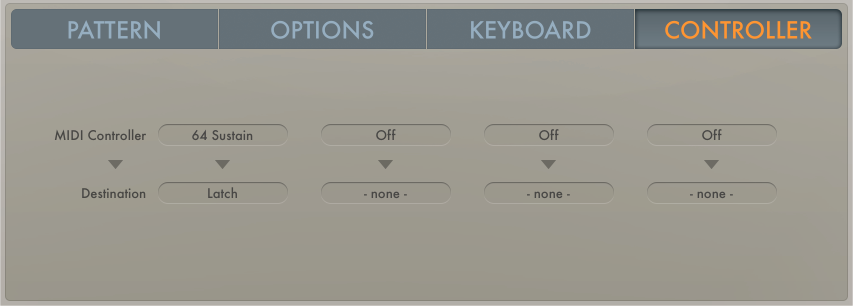
You need to choose a controller type and a target parameter.
MIDI Controller pop-up menu: Choose a MIDI controller type.
Destination pop-up menu: Choose a target parameter.
Choose a parameter from any of the Destination pop-up menus.
Choose Learn MIDI from any of the MIDI Controller pop-up menus.
Move a controller on your MIDI keyboard to assign it to the Destination parameter.
The Learn feature has a 20-second time out facility. If you do not move a controller on your MIDI device within 20 seconds, Learn MIDI mode is automatically disabled.