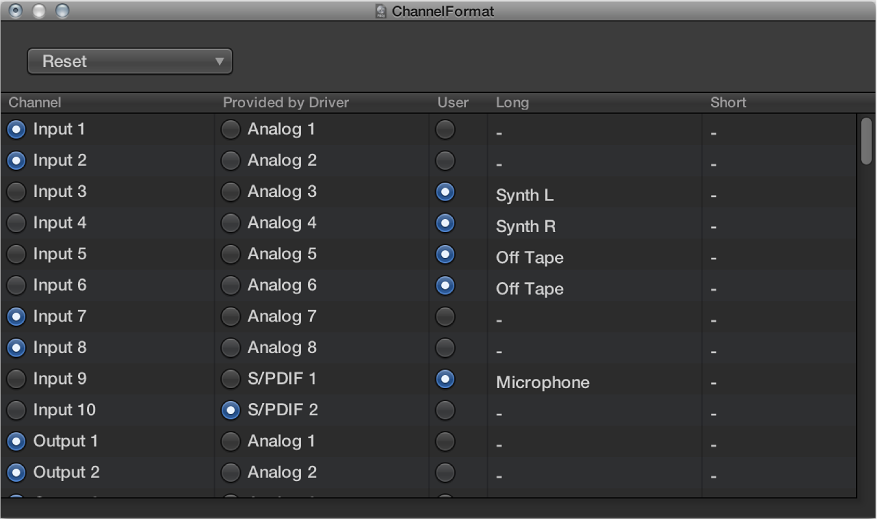

You can use the I/O Labels window to define names for all channel strip Input, Output, and Send menu items, which can be used in place of defaults such as “Input 1” or “Output 8.”
Do one of the following:
Choose Mix > I/O Labels.
Choose Options > I/O Labels from the Mixer menu bar.
Choose a device from the Device pop-up menu, if you have multiple audio interfaces. I/O labels can be individually defined for each hardware driver type, but are valid for all projects.
Select the button in the User column.
Double-click the “-” in the Long (name) column, enter a new name, then press Return.
Repeat the process for the Short (name) column.
The short name is used in the Send slots.
Do one of the following:
Click the corresponding button in the Channel column.
Choose one of the following from the Reset pop-up menu:
Reset All Labels
Reset Input Labels
Reset Output Labels
Reset Bus Labels
Click the corresponding button in the Provided by Driver column.