Close a window
Do one of the following:
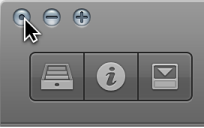
Click the close button at the top-left corner of the window.
Choose File > Close (or press Command-W).
The window with key focus closes.

You can open editors and other working areas as separate windows, open multiple windows simultaneously, customize your window setup, and save different window arrangements as screensets. The contents of each window update to show your latest changes.
Only one window can have key focus at a given time, this is called the active window. When several normal windows overlap, the active window is the window in the foreground. The title of the window with key focus is black (the titles of other open windows are gray). Inside a window, the area with key focus (for example, the Tracks area) is bordered by a blue frame.
In the Logic Pro main window, different areas can be given key focus by clicking the background or title bar of the window, or by using a tool in the window. Key commands only affect the window or area with key focus.
Some areas, including the Preferences and Project Settings windows, can be opened as floating windows, which “float” in the foreground, above even the key focus window. When one floating window covers another, click the one you want to move to the foreground.
Choose the window you want to open from the Window menu.
If the window is open, but in the background, comes to the foreground. If it’s already in the foreground, another window of the same type opens.
Tip: The key commands for opening different working areas as separate windows are shown beside the window name in the Window menu.
Click the window title bar, or within the working area.
When clicking in the working area, be careful not to accidentally insert an event or region if the Pencil tool is active in the window.
Choose Window > Cycle Through Windows (or use the corresponding key command).
This command assigns key focus to the next open window, if it is fully obscured by other windows.
You can also cycle through the window areas using Tab or Shift-Tab: Tab cycles forward, Shift-Tab cycles backward.
Do one of the following:
Click the close button at the top-left corner of the window.
Choose File > Close (or press Command-W).
The window with key focus closes.
Option-click the close button to close all windows of the active project.
Note: If you close all open windows of a project, Logic Pro asks if you want to save your changes.