Alter individual step values
Grab the step beam (with the Pointer or Pencil tool), then drag vertically.
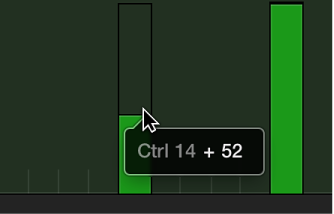
The current value is shown in a help tag as you drag.

Steps can be altered individually or as a group. When adjusted as a group, the absolute differences between event values remain constant.
Grab the step beam (with the Pointer or Pencil tool), then drag vertically.
The current value is shown in a help tag as you drag.
Drag across the steps with the Pointer tool. Vertical movements affect the value of each step.
The current value is shown in a help tag as you drag across each event.
Use any selection technique to select the steps you want to edit.
Grab one of the grouped (and highlighted) steps, then drag vertically.
The values of all steps are adjusted. If any of the beams in the group reaches the maximum or minimum value, you can’t go any farther in that direction.