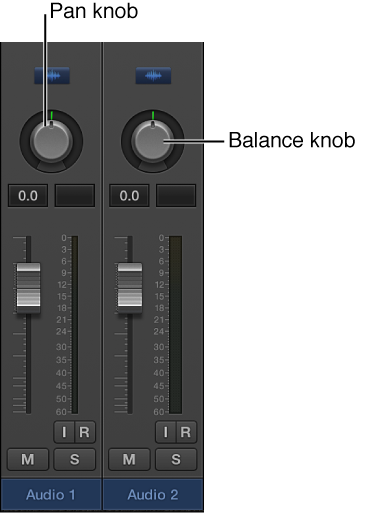

Instead of having instruments compete with one another in a mix, you can separate elements by positioning audio and instruments in the stereo mix from left to right. Typically, you want to have the most important tracks (lead vocals, solo instruments, drums, bass) positioned in the center of the mix, and have other tracks (rhythm instruments, instruments doubling the melody) to the sides. In general, most of the mix should be close to the center, with tracks panned far to the sides only for an unusual effect.
The Pan (short for panorama) knob defines whether a track is heard from the left, right, or center of the stereo field. You can set the pan position for each track in a project.
Mono channel strips feature a Pan knob, which determines the position of a signal in the stereo image. At the center pan position, the channel strip sends equal amounts of the signal to both sides of the stereo image. If you were to increase the pan position on the left side and decrease it on the right, the sound would move to the left.
Stereo channel strips feature a Balance knob, which differs from the Pan knob in that it controls the relative levels of two signals (Left and Right) at their outputs.
Do one of the following:
Drag the channel strip’s Pan knob vertically or horizontally.
Option-click the Pan knob to return it to the center position.
Hold down Shift while you drag the knob to change the pan position in finer increments.
When a channel strip output is set to Surround, the Pan or Balance knob is replaced by a Surround knob.