On MIDI channel strips, you can adjust the volume level and pan position, control MIDI data transmission, and assign controller data.
Drag the Volume fader up or down.
Controller #7 is sent via your MIDI interface.
Drag the Pan knob vertically.
Controller #10 is sent via your MIDI interface.
Click the Mute button.
When the Mute button is on, the MIDI channel strip stops sending MIDI data.
You can use each of the Assign 1 to 5 knobs to send MIDI controller data to the external MIDI instrument, allowing you to remotely control parameters such as volume, pan, and chorus.
Click the label above the knob.
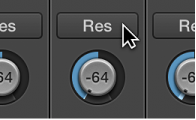
Choose a controller from the pop-up menu.