Add a channel strip to a group
Click the channel strip’s Group slot, then choose a group from the pop-up menu.
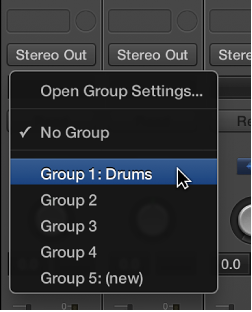

You can add a channel strip to, or remove a channel strip from, single or multiple groups. You can also temporarily disable all group parameter links—applying a Group Clutch—to change the volume of an individual channel strip, for example.
Click the channel strip’s Group slot, then choose a group from the pop-up menu.
Click the channel strip’s Group slot, then hold down Shift while choosing a group from the pop-up menu.
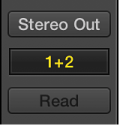
Hold down Option and click the channel strip’s Group slot.
The most recently accessed group setting—including overlapping groups—is applied to the current channel strip.
Click the Group slot, then choose the group that you want to remove the channel strip from.
Click the Group slot, then choose No Group.
Do one of the following:
Choose Mix > Disable Groups (or press Command-G).
Choose Options > Disable Groups from the Mixer menu bar.
Deselect the “Groups active” checkbox in the Group Settings window.
While Group Clutch is active, all Group slots change color, from yellow (normal) to a light gray (all groups temporarily disabled).